
A 3 € accessory rarely pays for its clicks on Shopping. Leaving low-priced products out lets the budget go to products that can earn it back.
- Open the data source, go to Rules and create a new rule - for example “Exclude under 10”.
- Under Conditions pick price, the operator Less and type
10. - Under then choose All fields & exclude in the field list.
- Check Changes preview - it lists the products that leave - then Save Rule.
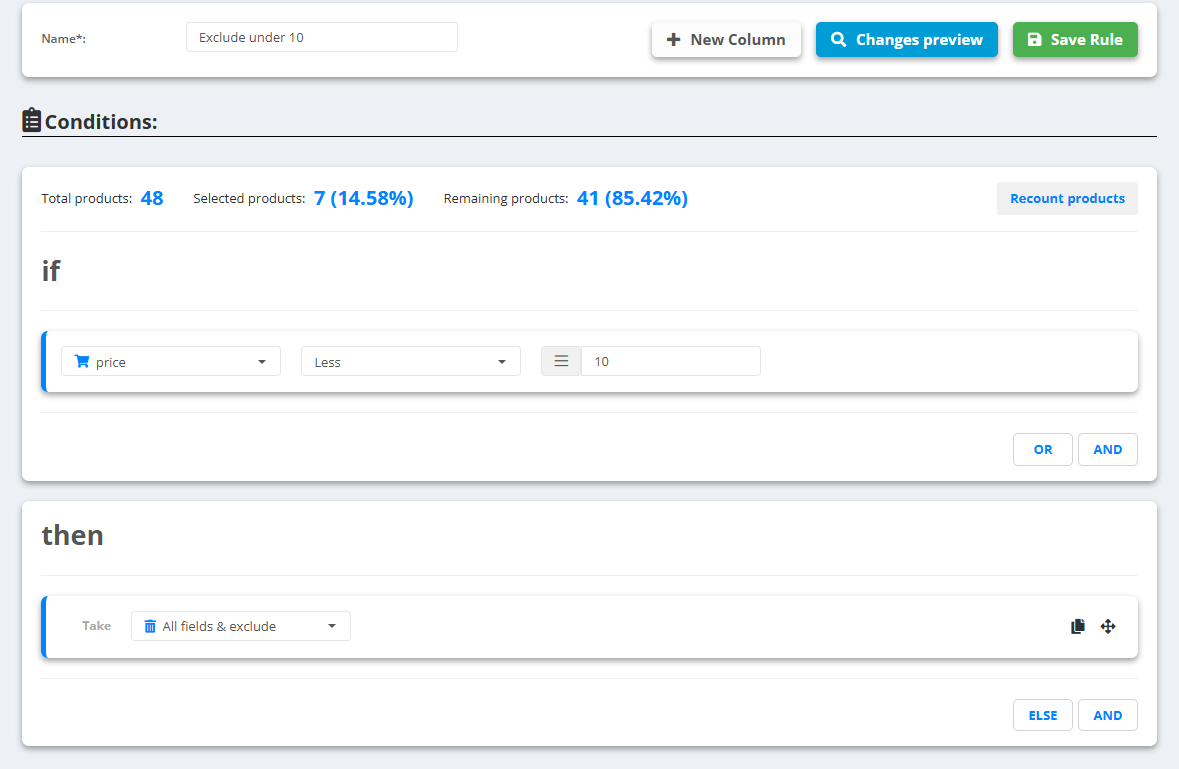
Example
Tape Measure 5 m,price6.90 → left out of the feed, with 6 other products under 10Headlamp 300 lm,price24.00 → stays
The rule removes the products from every feed of the data source. To leave them out of one channel only, use the same condition in that export's Conditions - see Create a feed export.