
- Open the data source and click the Categories tab.
- Click Generate categories, pick the field that holds your shop categories (Select field) and click Generate. Existing categories are replaced.
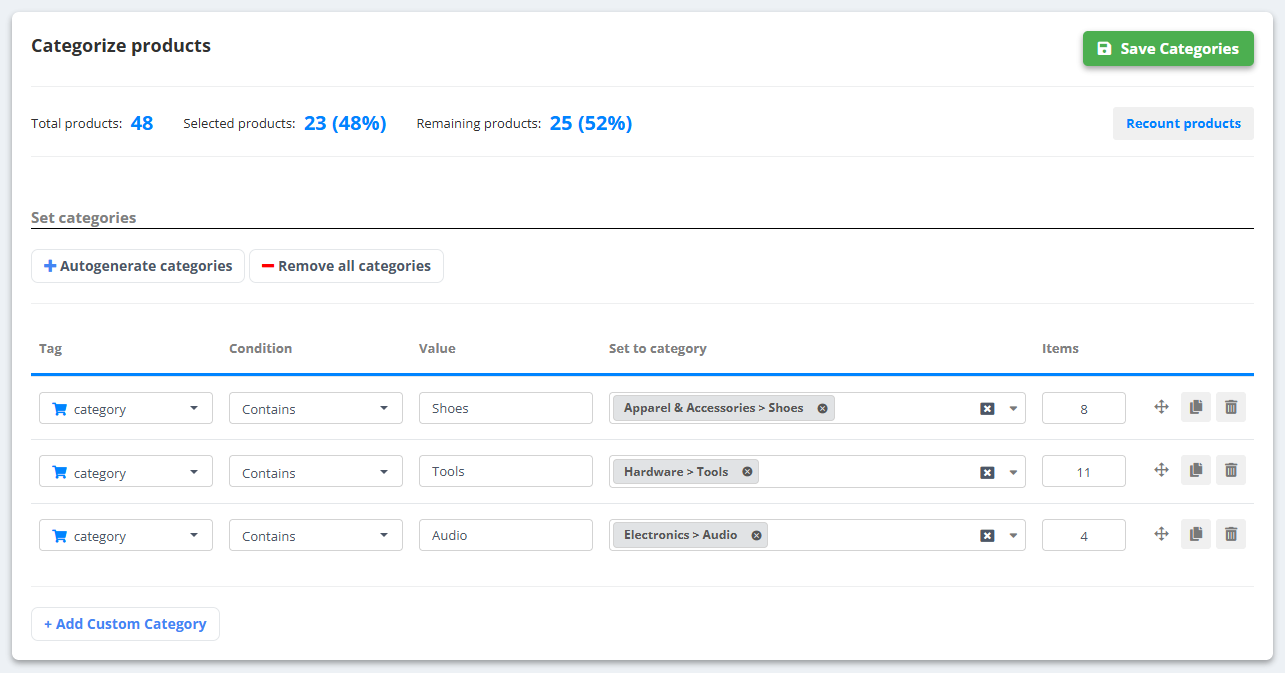
- For each category set the Google category in Set to category - start typing and pick from the official taxonomy.
- Products without a category can be caught with conditions (Condition / Value / Set to category), for example “title contains "sneaker" → Apparel & Accessories › Shoes”.
- Click Categorize products, then Save Categories. Recount products shows how many products each category now has.
Prefer AI? The AI-Optimized Feed fills google_product_category automatically, choosing only from Google’s official list.