
product_type is your own category for each product. Google uses it to understand the catalog and you use it to split Shopping campaigns. Most stores already have it - as a path like Home > Garden > Pots.
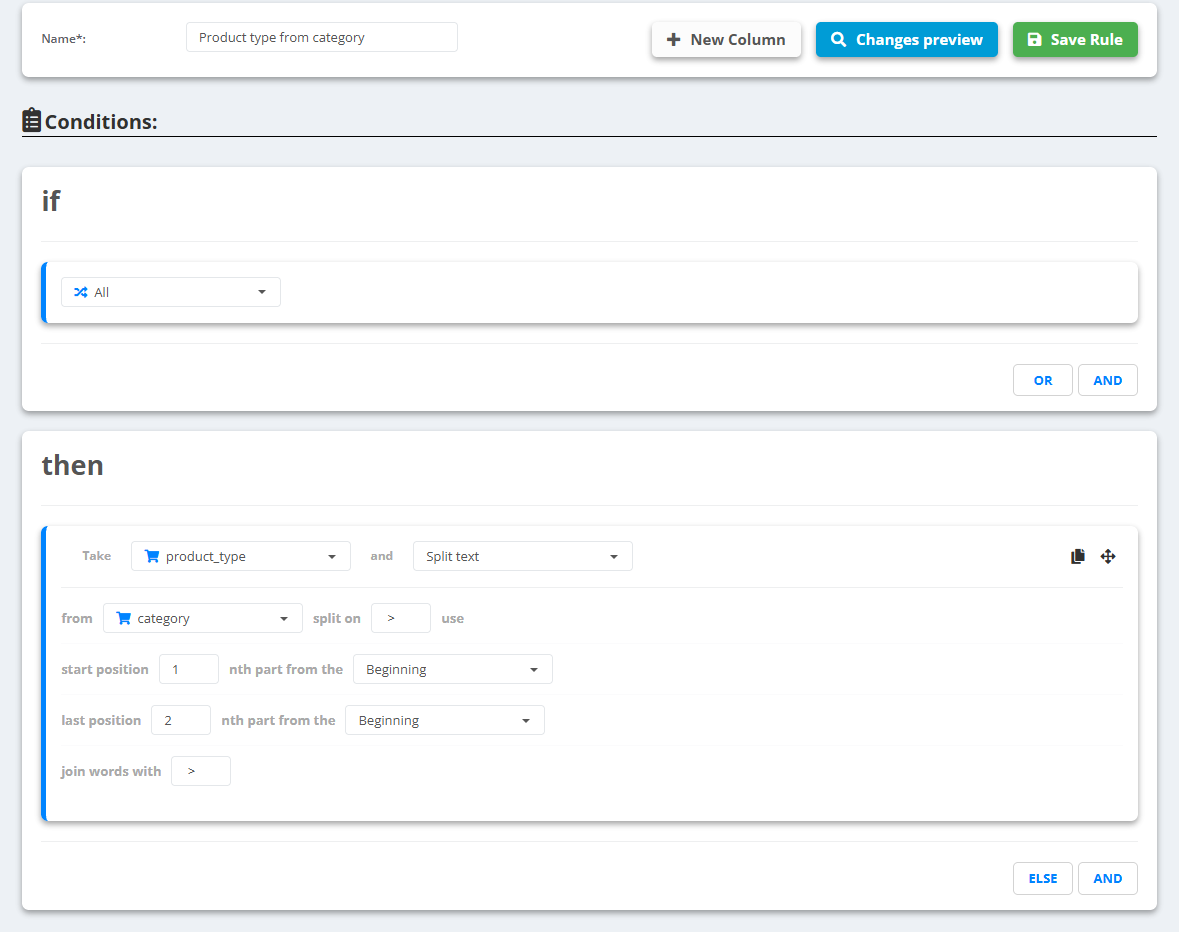
- Open the data source, go to Rules and create a new rule - for example “Product type from category”.
- Under then pick product_type and choose Split text.
- Set from to your category field and split on to the separator, for example
>(with the spaces). - Choose the parts: start position
1, nth part from the Beginning, and last position1, nth part from the End, keeps the whole path;1from the End for both keeps only the last level. - Set join words with - for example
>again - check Changes preview and Save Rule.
Example
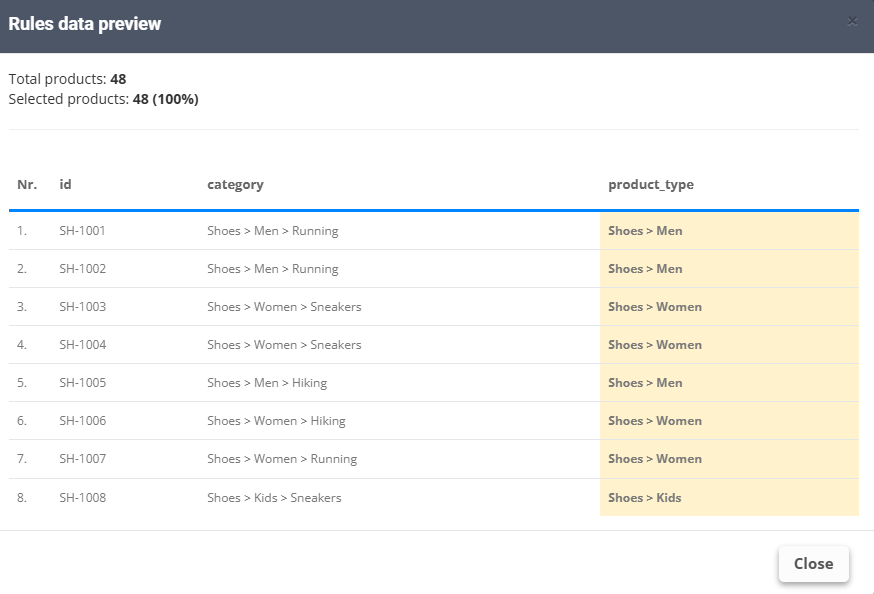
categoryShoes > Men > Running, positions 1 from the Beginning to 1 from the End →Shoes > Men > Running- Positions 1 from the End to 1 from the End →
Running - Positions 1 to 2 from the Beginning →
Shoes > Men- the rule in the pictures
Positions are counted from 1. For Google's own taxonomy use Assign Google product categories.