
Merchant Center expects a GTIN (barcode) for branded products. Products that have no barcode at all should say so with identifier_exists = no; otherwise they get “Missing value [gtin]” warnings and limited reach.
- Open the data source, go to Rules and create a new rule - for example “No identifiers”.
- Under Conditions pick gtin Is empty, add a second condition with “and”: mpn Is empty.
- Under then pick the field identifier_exists (if your catalog does not have it, create it with New Column), choose Combine or set value and type
no. - Check Changes preview, then Save Rule, and map identifier_exists in the Google export if it is not mapped yet.
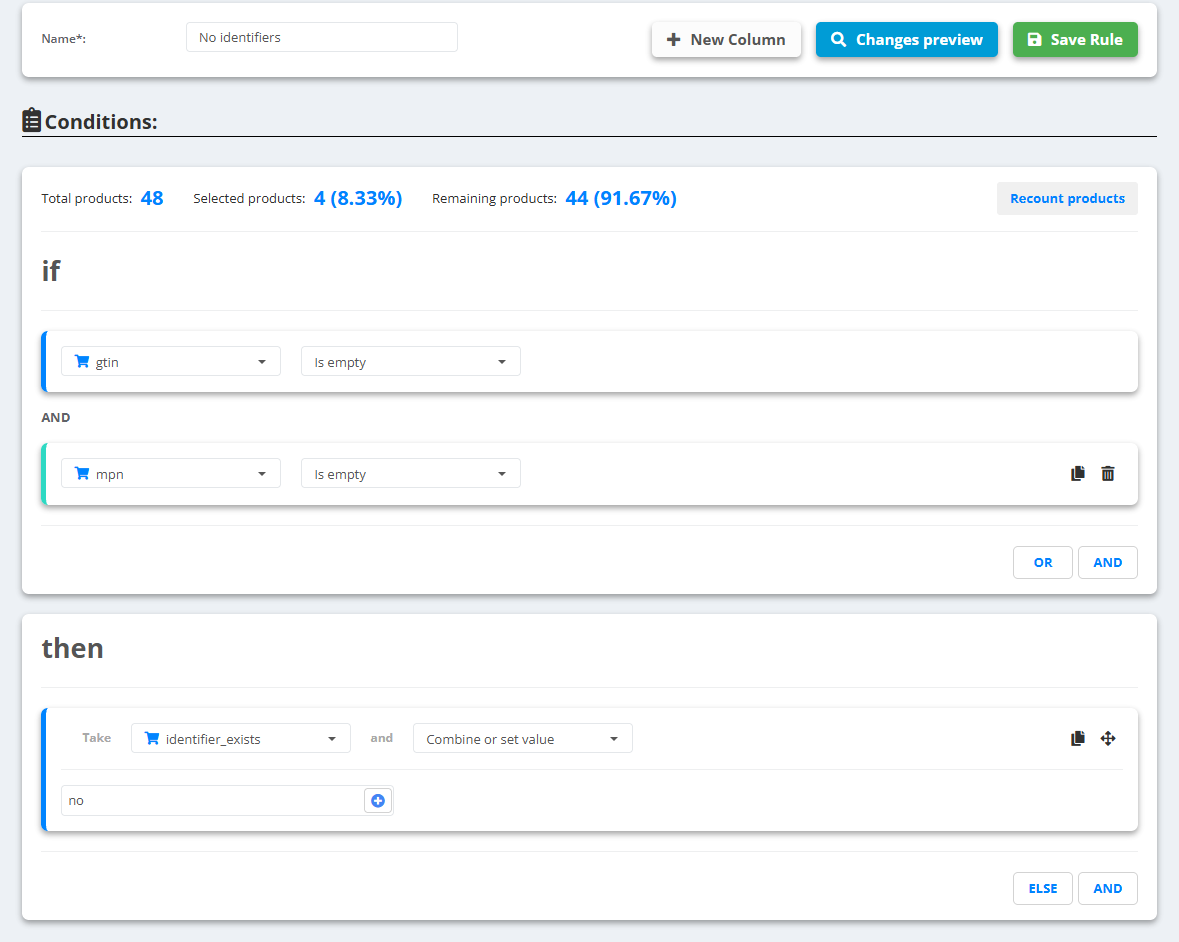
Example
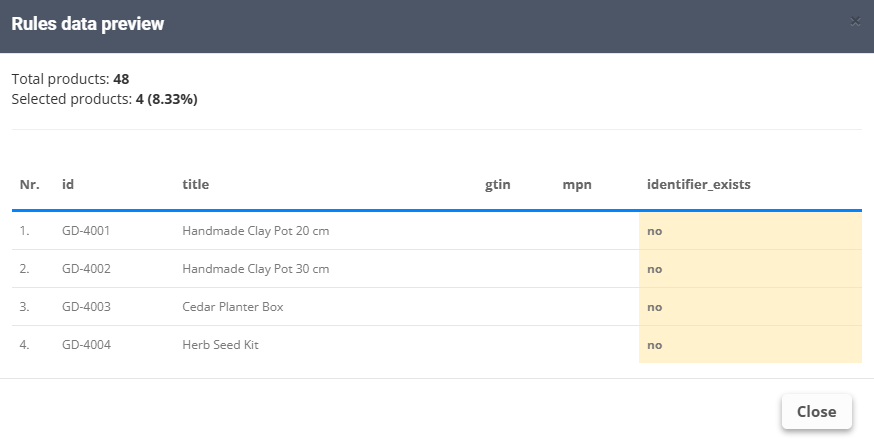
Handmade Clay Pot 20 cm:gtinandmpnempty →identifier_exists:no- The other 44 products have a GTIN - the rule does not touch them
Use it only for products that truly have no GTIN. Setting “no” on a branded product that has one hides a real problem and can get the product disapproved.