
Missing brand, condition or shipping data makes Merchant Center warn or reject products. When most products would get the same value anyway, fill the gaps with a default.
- Open the data source, go to Rules and create a new rule - for example “Default brand”.
- Under Conditions pick the field, for example brand, and the operator Is empty.
- Under then pick the same field, choose Combine or set value and type the default, for example your store name.
- Check Changes preview - only the empty ones change - then Save Rule.
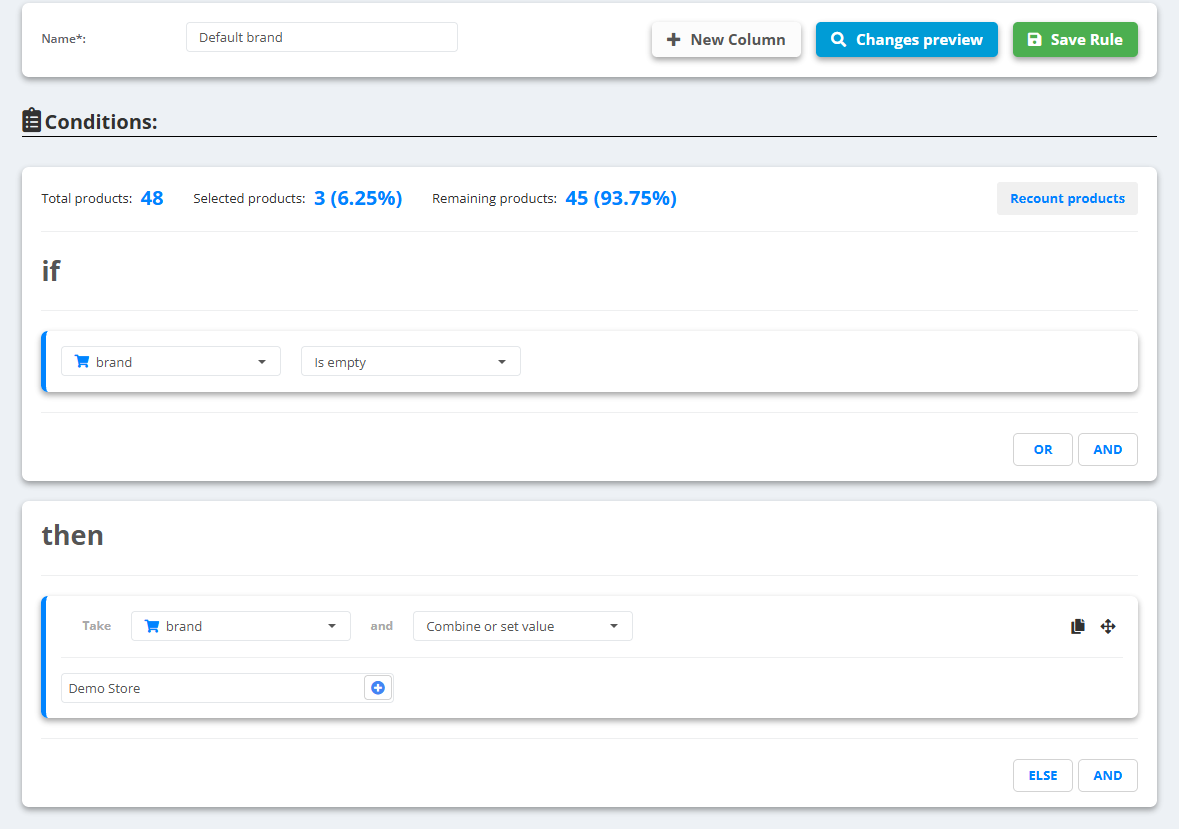
Example
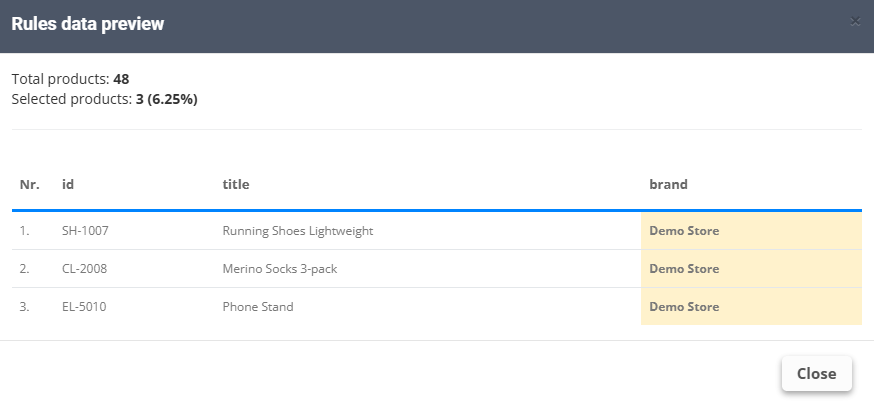
brandempty →brand:Demo Store(the store name)brandNorthpeak→ unchanged
The same pattern works for any field: condition → new, google_product_category → your main category. Better than a default is the real value - see AI-Powered rules to let the AI fill a field from the title and description.