
Many stores keep size and colour only in the title. Channels want them as separate fields - Google requires them for clothing variants. A regular expression pulls them out.
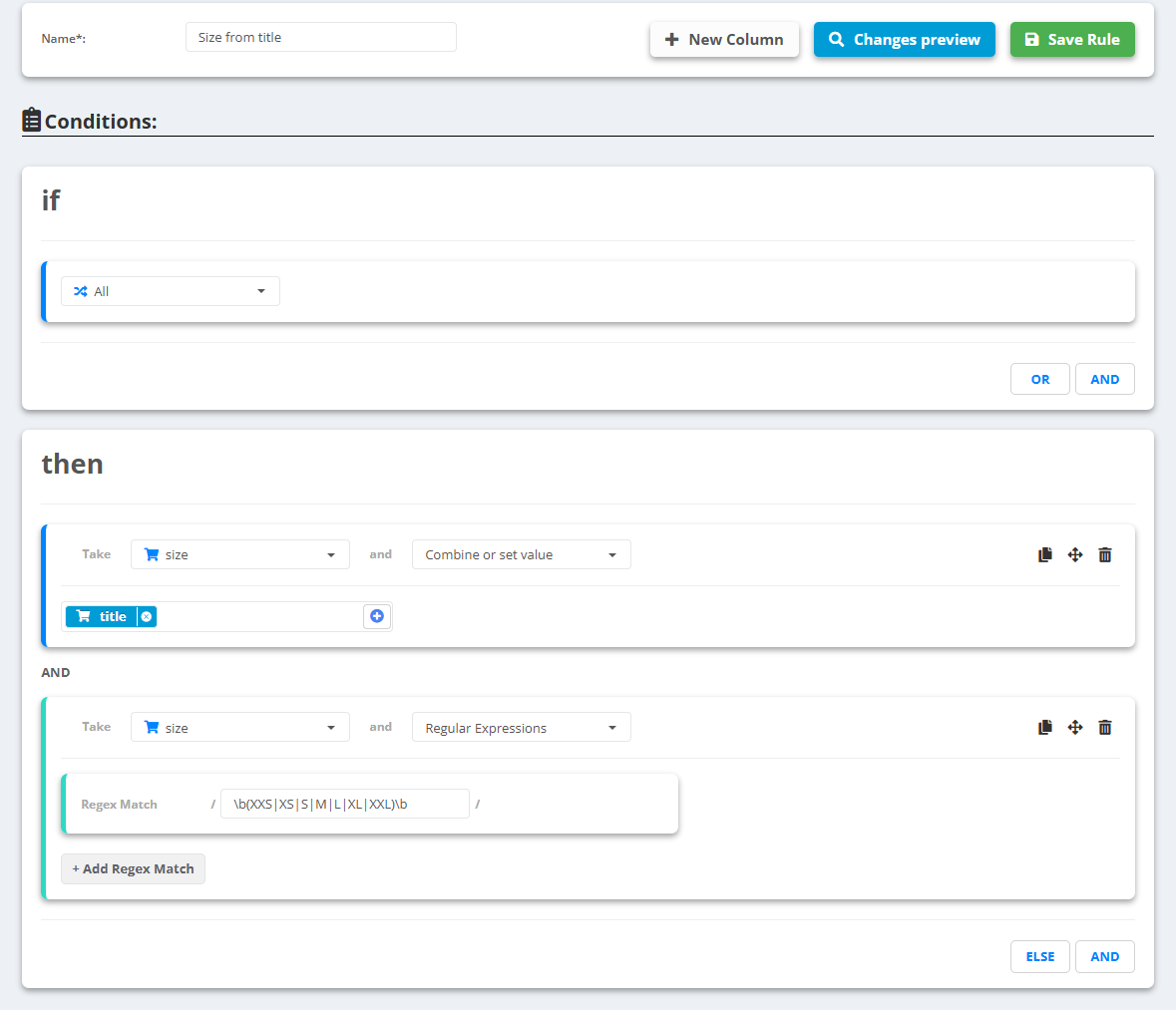
- Open the data source, go to Rules and create a new rule - for example “Size from title”.
- Under then pick the field
size(create it with New Column if it is not there), choose Combine or set value and pick title - this copies the title. - Click AND under then for a second line: size again, choose Regular Expressions and type the pattern between the two slashes of Regex Match, for example
\b(XXS|XS|S|M|L|XL|XXL)\b. The lines run top to bottom, so it works on the copied title. - Add more patterns with + Add Regex Match - the first one that matches is used.
- Check Changes preview, then Save Rule.
Example
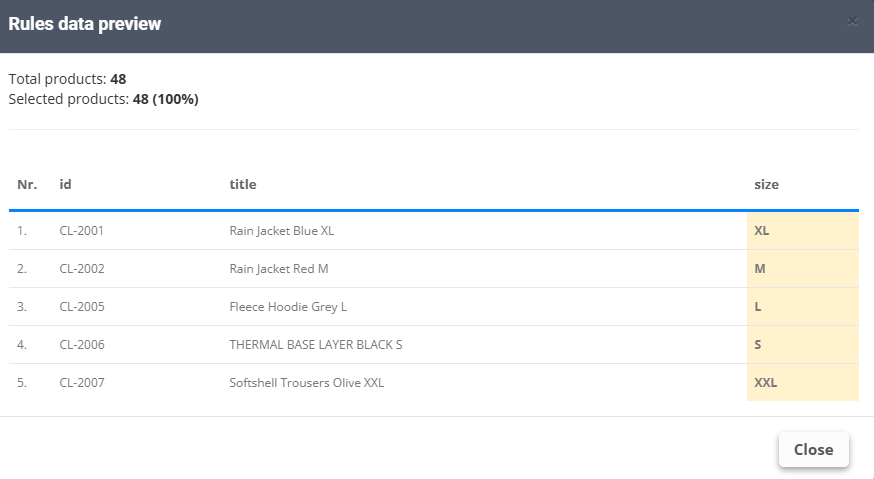
titleRain Jacket Blue XL→sizeXL- With a group in brackets only the group is kept:
Size: (\d+)onRing Size: 54→54
Regular Expressions works on the field it changes - that is why the title is copied first. A product with no match keeps the copied title, so add another rule below it if needed: size Contains a space → Set to empty.