
Shoppers scan the first words of a title. Putting the brand in front makes a product recognisable at a glance - and on small screens, where Google cuts long titles, the first words are often all that is shown.
- Open the data source, go to Rules and create a new rule - for example “Brand in title”.
- Under Conditions pick brand Is not empty, so products without a brand keep their title as it is.
- Under then pick the field title, choose Combine or set value and, with Combine values…, put together brand, a space and title.
- Click Changes preview and look for titles where the brand now appears twice; limit the rule for those brands (for example brand Is not equal to any).
- Click Save Rule.
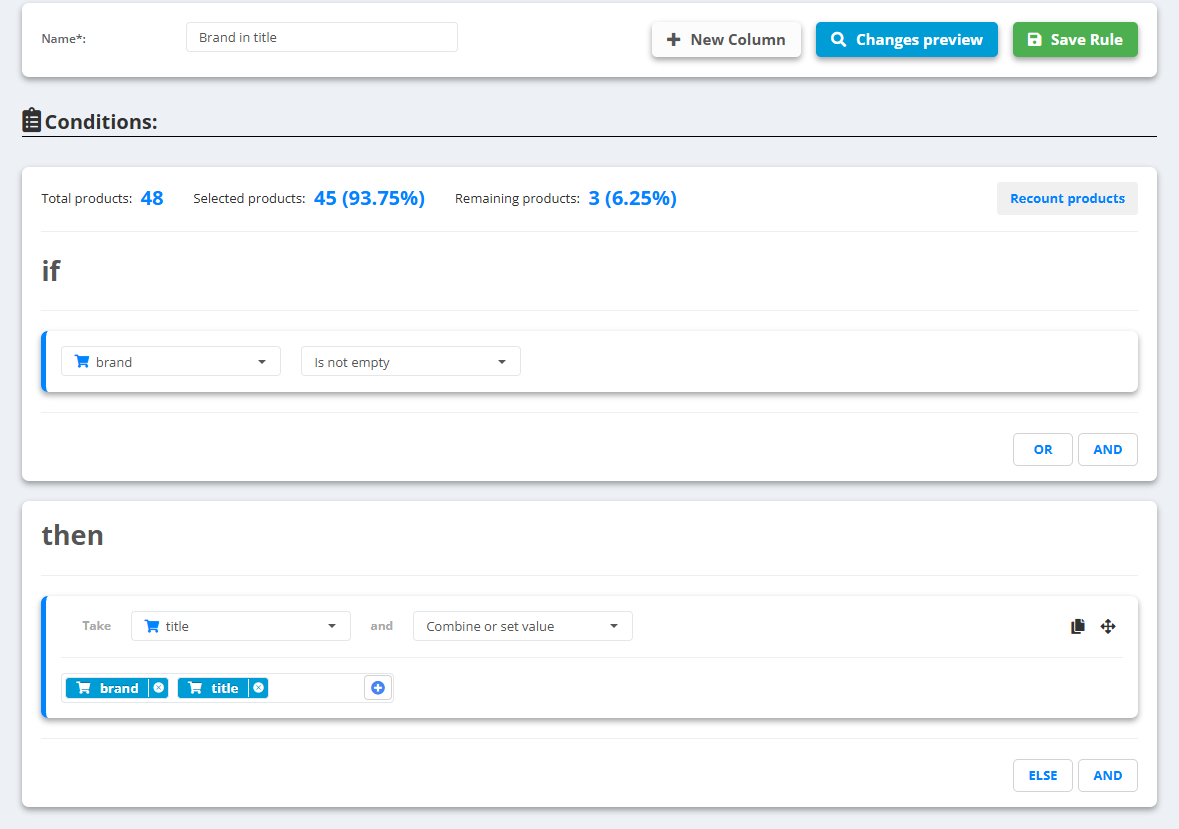
Example
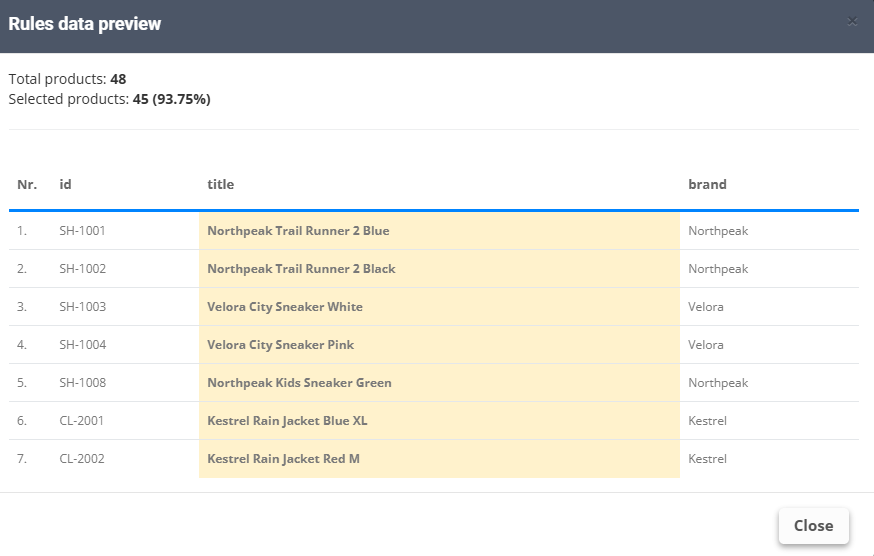
- Before:
Trail Runner 2 Blue, brandNorthpeak - After:
Northpeak Trail Runner 2 Blue - The 3 products without a brand keep their title as it is
Want the colour or size at the end as well? Add them to the same combination: brand, title, “ - ”, color. More: Create your first rule.