
Selling abroad from a store that exports one currency? Convert the prices in the feed for that market instead of keeping a second price list.
- Open the data source, go to Rules and create a new rule - for example “Price in USD”.
- Under then pick the field to write - price, or a new one such as
price_usd(New Column) - and choose Currency converter. - Set take to price, from
EUR, toUSDand the rate: Lithuanian Bank (daily official rates) or Stripe (live market rate). Check rate shows the rate the rule would use now. - Check Changes preview, then Save Rule.
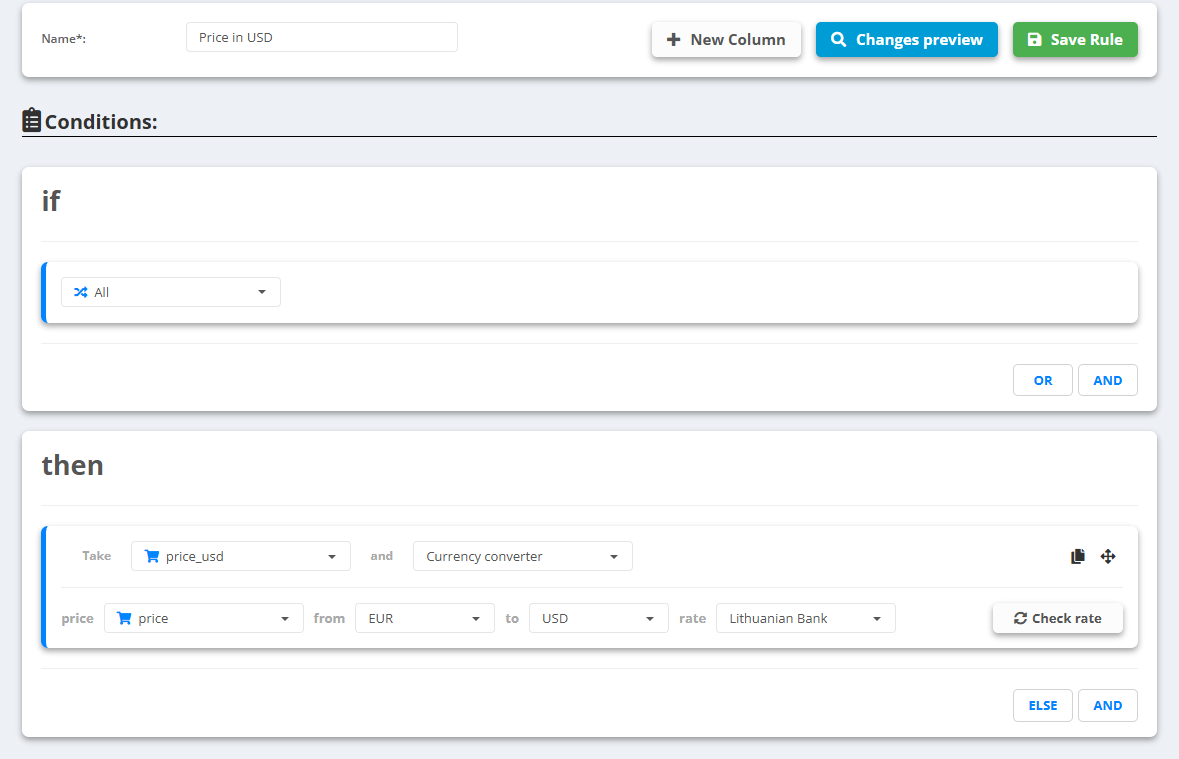
Example
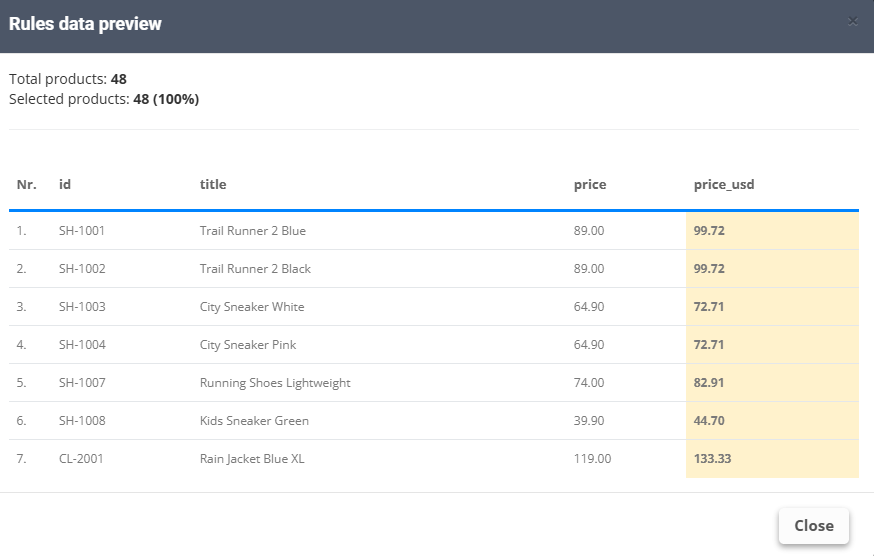
price89.00 EUR →price_usd99.72 (at the Bank of Lithuania rate of the day, 1 EUR = 1.1204 USD)
The result is the amount only, without a currency code. Add the code in the export's Mapping (for exampleprice_usd+USD), and keep each market in its own export - see Create a feed export.