
Supplier jargon, internal codes, misspellings, words a channel does not allow - fix them all in one rule instead of editing products one by one.
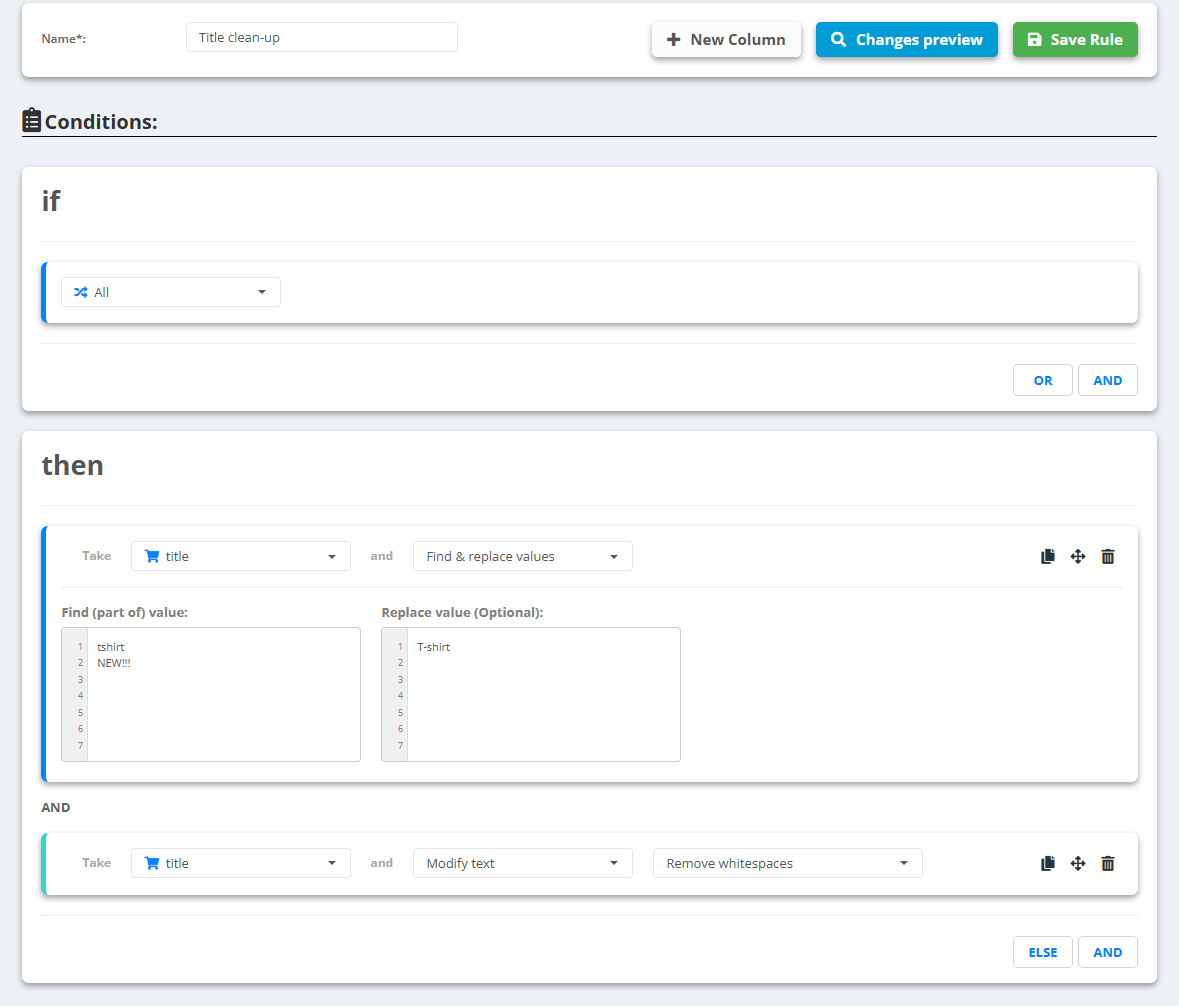
- Open the data source, go to Rules and create a new rule - for example “Title clean-up”.
- Under then pick title and choose Find & replace values.
- In Find (part of) value: write one word or phrase per line; in Replace value (Optional): write the replacement on the same line. Leave a line empty to remove the word.
- Removing a word leaves two spaces in its place. Add a second line under then: title with Modify text → Remove whitespaces.
- Check Changes preview, then Save Rule.
Example
- Find
tshirt→ replaceT-shirt - Find
NEW!!!→ replace with nothing - Before:
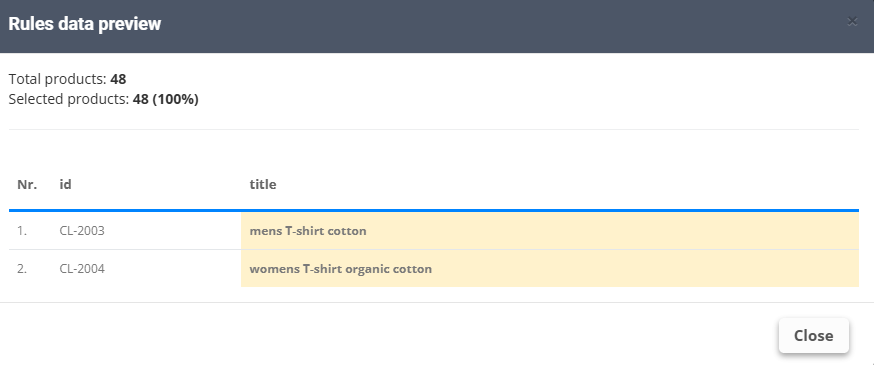
mens tshirt NEW!!! cotton→ after Find & replace values:mens T-shirtandcottonwith two spaces between them → after Remove whitespaces:mens T-shirt cotton
It finds parts of words too: red also matches “redwood”. Write the word with spaces around it when that matters. Need the whole field replaced instead? Find & set values sets one value when a part matches, Lookup & set values when the whole value is equal.