
Image Creative Studio module
One design. Every product gets its own ad.
Build one template - price, discount, badge, your logo, all pulled from the feed - and every product in the catalog gets a branded creative. Photos that would fail Google or Meta checks are fixed on the way. Everything refreshes with the feed.
- We set everything up for you
- 30 days free
- No credit card
- No contracts · Cancel anytime
Why it matters
Which one would you click?
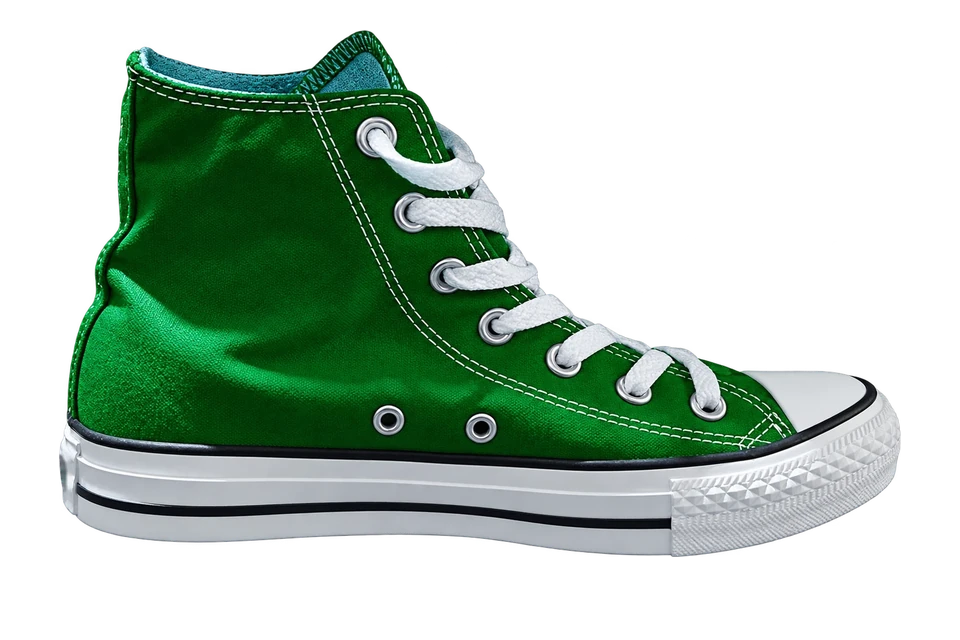
Same shoe, same final price, two catalog ads in the same feed. One seller shows the raw feed title on a white photo. You show a branded creative, a clean title and the discount. Guess which one stops the scroll.
- ✓The image stands out between white photos
- ✓The title reads like a product, not a SKU
- ✓The discount is visible before the click
Facebook & Instagramsame shoe, two ads
cls hi grn 42
€64.99
-20%Your Brand Classic Hi - Green
€64.99 €77.99
Scale
One template. Every product, individually.
Design once - every product gets its own creative with its photo, price and discount. The whole catalog, again on every feed update.
0creatives
How it works
Design once. Filter. Deliver everywhere.
Design
Layers on a canvas - background, product image, brand, price, badge. Text layers read feed fields like {{sale_price}}, so the same design fits every product. Preview on real products before saving.
Layers
- Product image
{{image_link}} - Background
gradient - Brand
{{brand}} - Price
{{sale_price}} - Old price
{{price}} · strike - Badge
-{{discount}}%
Filter and schedule
Rules decide which products get the design - only discounted ones, one brand, a category. Dates decide when it runs; outside the window the standard image comes back by itself.
Filter products:
sale_priceis not emptybrandequalsYour Brand4,210 of 12,700 products match
Scheduling
Deliver
Every feed update renders the creatives, hosts them on our image CDN and writes the URL into the image field you chose - so the exports that use that field (Meta, TikTok, Pinterest) get the new image. Only changed products are re-rendered.
-20%Write fixed URL into:
 Google
 Meta
Meta TikTok
Next feed update in 1 h · only changed products re-rendered
Holiday season 2026 - Singles Day, Black Friday, Cyber Monday and Christmas creatives for every product.
See holiday creatives →FAQ
Image Creative Studio questions
Do I need a designer?
No. Start from a layout in the library, add your logo and colors, and the layers do the rest. If you have a designer, they get a full canvas with text, shape and image layers.
Which channels can use the creatives?
Catalog ads that allow designed images - Facebook and Instagram (Meta), TikTok, Pinterest. Google Shopping does not allow promotional text, badges or logos on product images, so for Google use Image Fix: clean photos that pass its checks. The creative URL goes into the image field you choose, so you decide which exports use it.
Does it change my original photos?
No. Each creative or fixed photo is a new file on our CDN. The original stays where it was; you decide which feed field gets the new URL.
What exactly does Image Fix do?
It checks every photo against Google and Meta requirements - format, minimum size, file weight - and fixes what fails: recompresses heavy files, converts formats, pads narrow photos to square, upscales small ones up to 3×, removes plain backgrounds, adds frames or rounded corners if enabled. Photos that already pass are left untouched.
How often are images refreshed?
With every feed update, on the schedule of the data source. Products whose photo and data did not change keep their image - only new or changed products are rendered again.
Is Image Creative Studio included in the base price?
No. It is an additional module priced individually - tell us your catalog size and what you want to produce, and you get a price.
Give every product an ad worth clicking.
Start the 30-day trial and send us your catalog - we quote the module and build the first template with you.
No credit card · No contracts · Setup included · 30 days free