
Video Creative Studio module · New
If you can describe it, you can have it.
No preset templates and no limits on style - the AI designs whatever video you ask for, from a calm lookbook to a neon flash sale. Your products, prices and photos fill it in, and it renders again whenever they change. No video editor, no manual work.
- We set everything up for you
- 30 days free
- No credit card
- No contracts · Cancel anytime
- 1Describe
- 2Refine
- 3Connect
- 4Publish
A punchy weekly deals ad for a DIY store, 4 products. White background, bold blue header with the store name, big product cards sliding through as a strip, yellow price tags.
Designing your spot
Add a shine on the price tags
Added - it shines every few seconds
Make the button pulse
Done - it pulses now
Add upbeat music and a voice-over
Music and an AI voice-over added
↑
Toolvia store · WooCommerce
Category is ToolsOn sale · top 4
image_linktitlepricesale_pricediscount
Any style. Just ask.
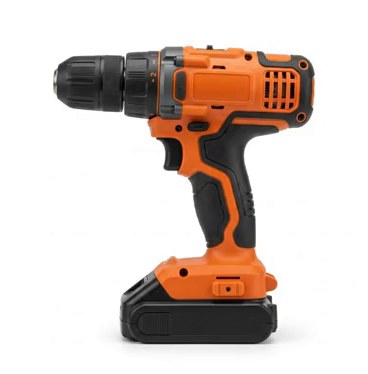
{{image_link}}{{title}}{{price}}{{sale_price}}-22%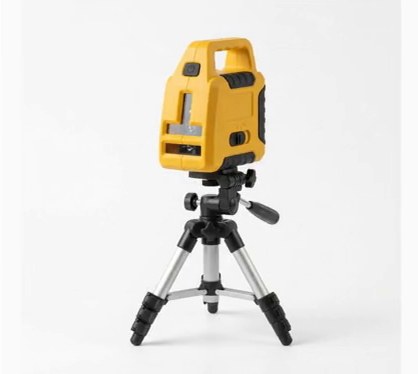 -24%
-24%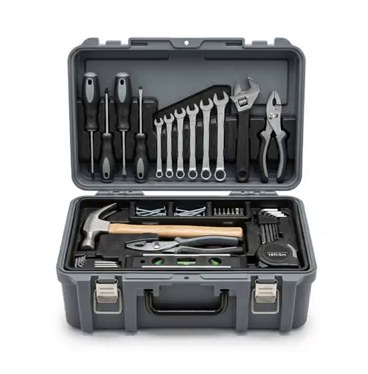 -29%
-29%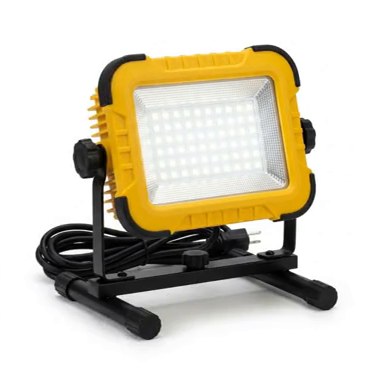 -23%
-23%+ AI voice-over
Hold the bar to pause · drag to scrubPaused · let go to play on
Prompt ideas
No presets. Anything you can put into words.
Every prompt here made a completely different video - same module, nothing edited by hand. Open any of them to read the exact prompt that made it, then ask for something nobody has asked for yet. Brands and products are invented for the examples.
24 examples · hover to preview, click to read the prompttap to watch and read the prompt
How it works
Four steps. No manual work.
Describe
Tell it what you want - the mood, the colours, how the products appear, how long it runs. Or start from one of the prompt ideas above.
“A clean phone sale ad for 4 phones, white background, deep blue price band.”
Refine
Not quite right? Say so in the chat. The AI changes the spot, not you - no timeline, no layers, no keyframes.
“Make the price bigger.”
Connect
Pick the data source and the products - a category, a brand, only discounted ones, the four newest. Names, prices and photos come straight from the feed.
Category is Phones · 4 newest
Publish
You get an MP4 and a link that always plays the newest version. When prices or products change, the video is rendered again - the template stays.
MP4 · 9:16 · 1:1 · 4:5 · 16:9
Why it is different
One template. Always up to date.
Any style
There is no template library to pick from. The AI writes the whole spot - background, motion, type, layout - from whatever you describe.
a few presets
Prices change
The template reads the feed, so a new price or a new product is simply in the next render.
re-edit every video
One link
The link never changes and always plays the newest render - put it in a campaign once.
new file every time
Every format
Stories and Reels, feed posts, square and widescreen - the same spot in the shape each channel wants.
one at a time
FAQ
Video Creative Studio questions
Do I have to choose from templates?
No. There is no preset library - the AI designs the spot from your description, so the style, colours, motion and layout are whatever you ask for. The prompt ideas are only starting points.
Do I need to know video editing?
No. You describe the spot in words and ask for changes in words. There is no timeline, no layers and no keyframes to learn.
Where do the products, prices and photos come from?
From your data source in PPCDATAFEED - the same catalog your feeds are built from. You choose which products go into the video with the same filter you use for feed exports: a category, a brand, only discounted products, the newest ones.
What happens when a price changes?
The video is rendered again with the new data, and the link keeps playing the newest version. If nothing in the products changed, nothing is rendered - the current video stays.
Which formats can I get?
Vertical 9:16 for Stories, Reels and TikTok, 4:5 for feed posts, square 1:1 and widescreen 16:9. One description works for every format.
Can it have a voice-over and music?
Yes. Video Creative Studio can generate an AI voice-over for the spot and lay a music bed underneath it.
Is Video Creative Studio included in the base price?
It is an additional module. Tell us what you want to produce and we will set it up with you during the trial.
Describe your first video.
Start the 30-day trial and tell us what you want to make - we set up Video Creative Studio with you on your own catalog.
No credit card · No contracts · Setup included · 30 days free