
The Setup tab holds what the spot reads from your catalog. What it asks for depends on the design - a spot with a closing grid of products may have two product groups, a spot with a rating asks for a rating column.
Which products
- Each product group shows how many products it uses - Which products - this group shows 3.
- Add condition narrows the products, with the same conditions as feed exports: a category, a brand, only products with a sale price, stock above zero. The line under it counts the matches - 3 (6.25%) / 48 products match; when more products match than the group shows, it adds which ones are used (the first 4 are used).
- Each group asks the catalog its own question, so the opening scenes and a closing grid can show different products.
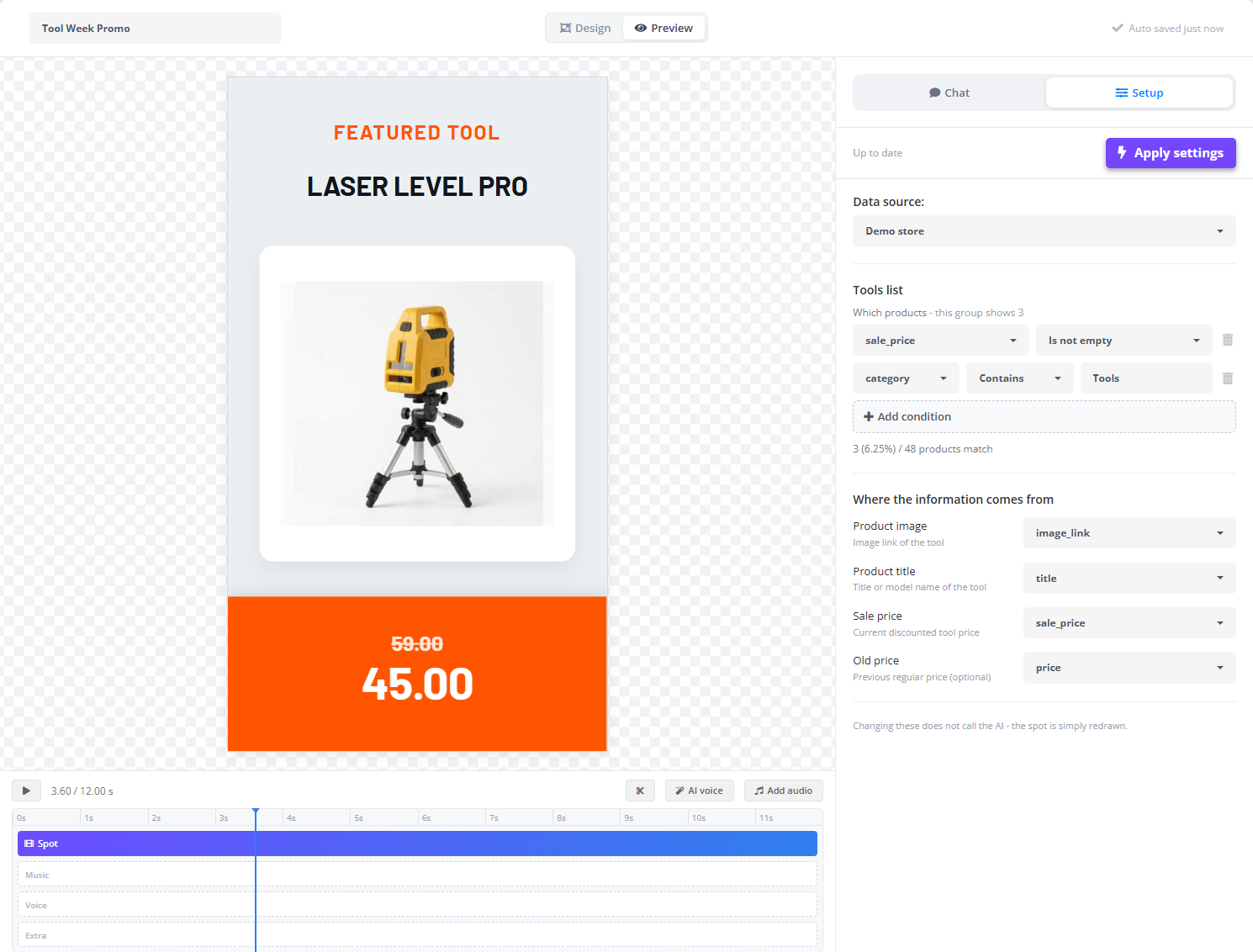
Where the information comes from
Every place in the spot that shows product data - name, price, old price, photo, badge - gets a dropdown with a short hint of what it expects (“the previous price to be crossed out”). Select column and pick the feed column that fills it. A place with nothing chosen is marked, and the spot shows its label in brackets until a column is picked.
Files the template asked for
When you ask for a logo, a brand font, a background picture or a video clip, a slot appears here: Click to upload, or drop one here. Replace and Remove change it later. Each slot says which kind of file it takes - an image, a video clip or a font.
Setup changes are applied with Apply settings. Leaving with unapplied changes asks first - Leave anyway or Apply settings.