
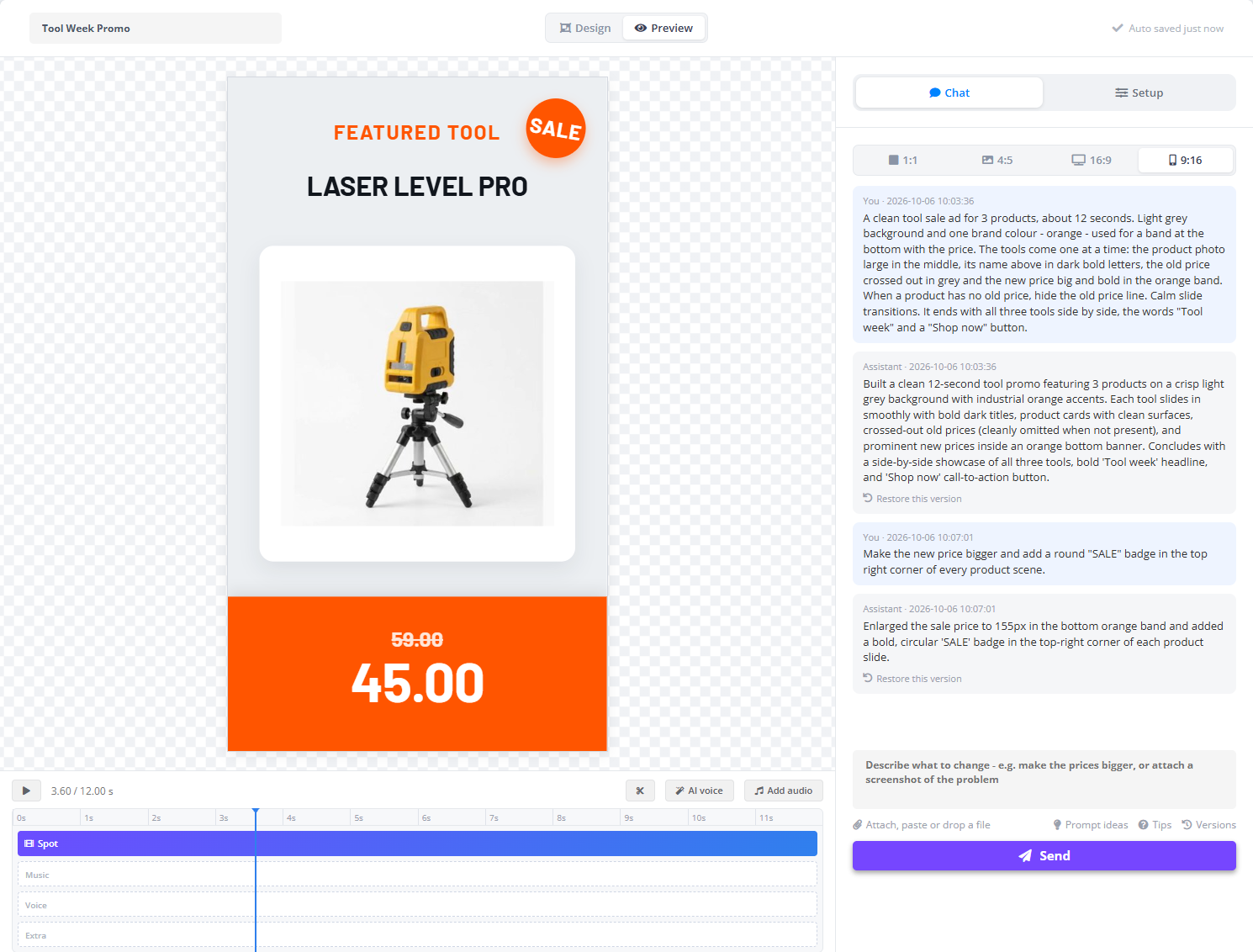
There is no timeline of layers to edit by hand. To change the design, say what you want in the Chat tab - the AI rewrites the spot and the preview updates.
- “Make the price bigger.”
- “Add a shine on the price tags.”
- “Make the button pulse.”
- “The text at the top is hard to read - put it on a dark band.”
- “Give the last scene its own four products.”
You can attach a picture to a message - Attach, paste or drop a file - a screenshot of what looks wrong, or a reference of the style you want.
Earlier versions
- Every answer in the chat has Restore this version under it; Versions opens Earlier versions with all of them in one list.
- Restore one and the preview goes back to that design.
Design lives in the chat on purpose. Setup only says which products go in, which column feeds which place and which files to use - sizes, colours, positions and wording are asked for in the chat, so there is one place that decides them.