
Google Shopping accepts up to 150 characters in a title. Longer titles are flagged, and descriptive titles built with rules grow past that limit easily.
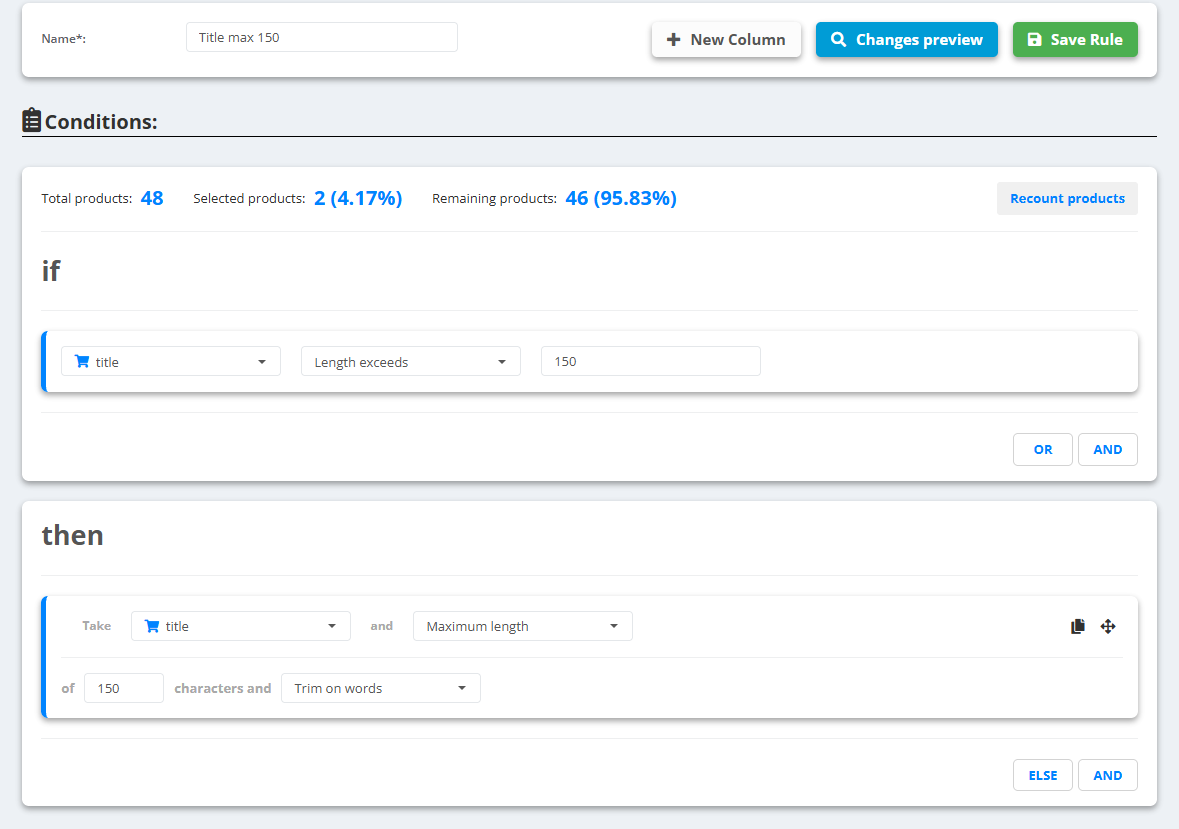
- Open the data source, go to Rules and create a new rule - for example “Title max 150”.
- Optionally limit it under Conditions: title Length exceeds
150, so the preview shows only the titles that change. - Under then pick the field title, choose Maximum length, type
150and choose Trim on words. - Check Changes preview, then Save Rule. Put this rule last, after the rules that build the title.
Example
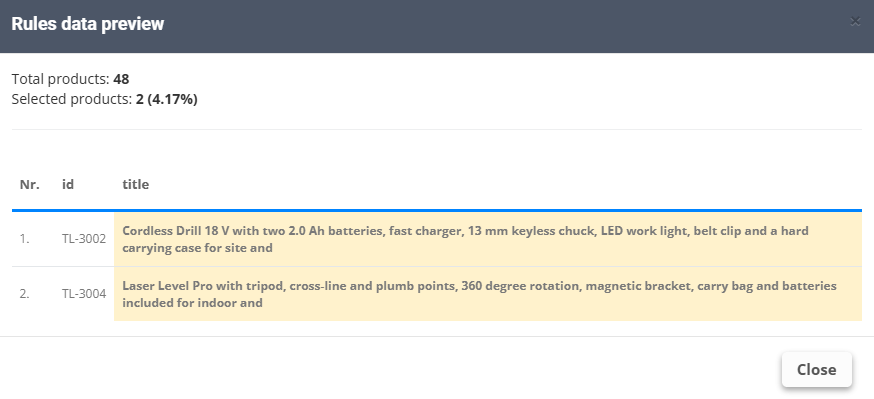
- Before (154 characters):
Cordless Drill 18 V with two 2.0 Ah batteries, fast charger, 13 mm keyless chuck, LED work light, belt clip and a hard carrying case for site and home use - After (145 characters): the same title up to
…a hard carrying case for site and- the last whole word that fits
Trim on characters cuts exactly at 150, even inside a word - fine for IDs, not for titles a shopper reads. A cut title can end with a word like “and” - for the few that do, a shorter title written by hand or with AI-Powered rules reads better.