
Both sources live in one window: open the data source, go to the Products tab and click External Data. It shows a tile per source - Google Analytics 4 and Google Ads - each with its own switch.
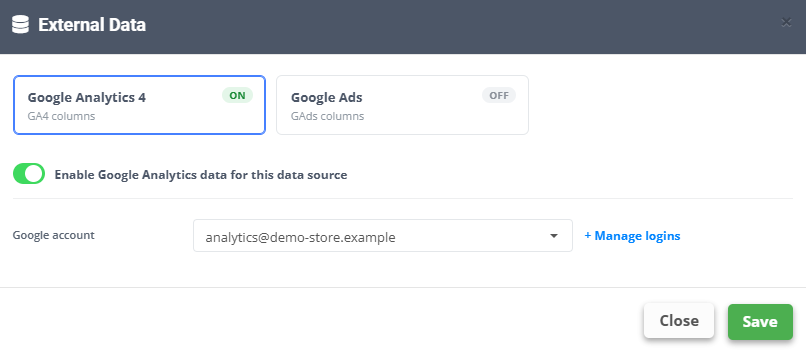
Google Analytics 4
- Connect the account first under Integrations → + ADD NEW GOOGLE ANALYTICS LOGIN (the window links there with + Manage logins).
- In External Data pick the Google Analytics 4 tile and switch on Enable Google Analytics data for this data source.
- Choose the Google account, the Analytics account and the Property (Refresh accounts / Refresh properties if a list is empty).
- In Match by feed field pick the field whose values match the item IDs in Analytics.
- Choose the Report period (last 7 to 90 days, or custom) and, if needed, a Source / Medium filter - All Traffic or a Custom filter.
- Click Save. Columns added lists the new fields -
GA4:ItemsViewed,GA4:ItemsAddedToCart,GA4:ItemsPurchased,GA4:ItemRevenue- and they are filled on every product at the next update.
Google Ads
- Connect the account under Integrations → + ADD NEW GOOGLE ADS LOGIN.
- In External Data pick the Google Ads tile and switch on Enable Google Ads data for this data source.
- Choose the Google account and the Google Ads account, then in Match by feed field the field that matches the product IDs in Google Ads.
- Choose the Report period and click Save. Seven columns are added:
GAds:Impressions,GAds:Clicks,GAds:Cost,GAds:Conversions,GAds:ConvValue,GAds:CPA,GAds:ROAS.
Now build rules on them: exclude products with many views and no purchases from the Shopping feed, label products with a ROAS above your target for their own campaign, or exclude what costs more than it earns.