
Store descriptions often come with <p>, <br>, <strong> and tables. Channels want plain text: Google shows tags as text or rejects the field, and marketplaces count every tag against the length limit.
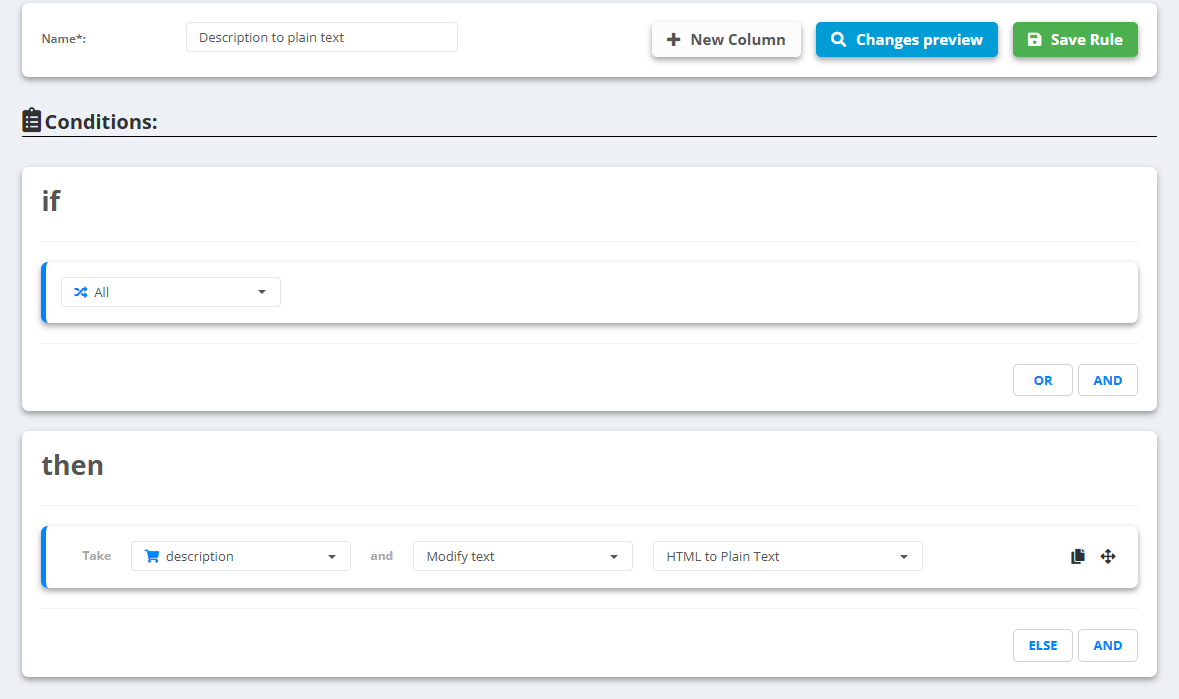
- Open the data source, go to Rules and create a new rule - for example “Description to plain text”.
- Under then pick the field description, choose Modify text and select HTML to Plain Text.
- Want one paragraph instead of several lines? Add a second rule on description with Modify text → Remove line breaks.
- Check Changes preview, then Save Rule.
Example
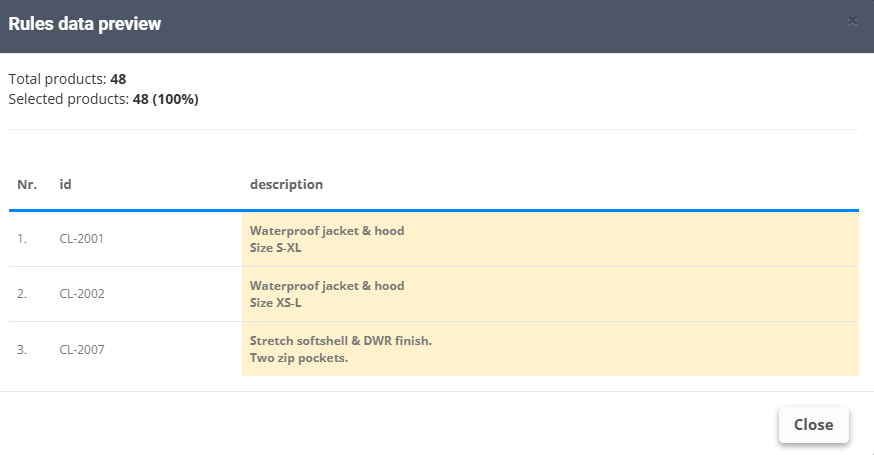
- Before:
<p><strong>Waterproof</strong> jacket & hood</p><ul><li>Size S-XL</li></ul> - After:
Waterproof jacket & hoodandSize S-XLon the next line
Decode text is a different action - it reads a value out of a JSON field, it does not remove HTML.