
AI-Powered rules live in the AI Optimizer tab of a data source. Each rule fills one output field. Part of the AI Optimizer module.
A rule has two types. Text - the AI writes text from your prompt (this guide). Image tags - the AI looks at product pictures and tags each one, see AI image tags.
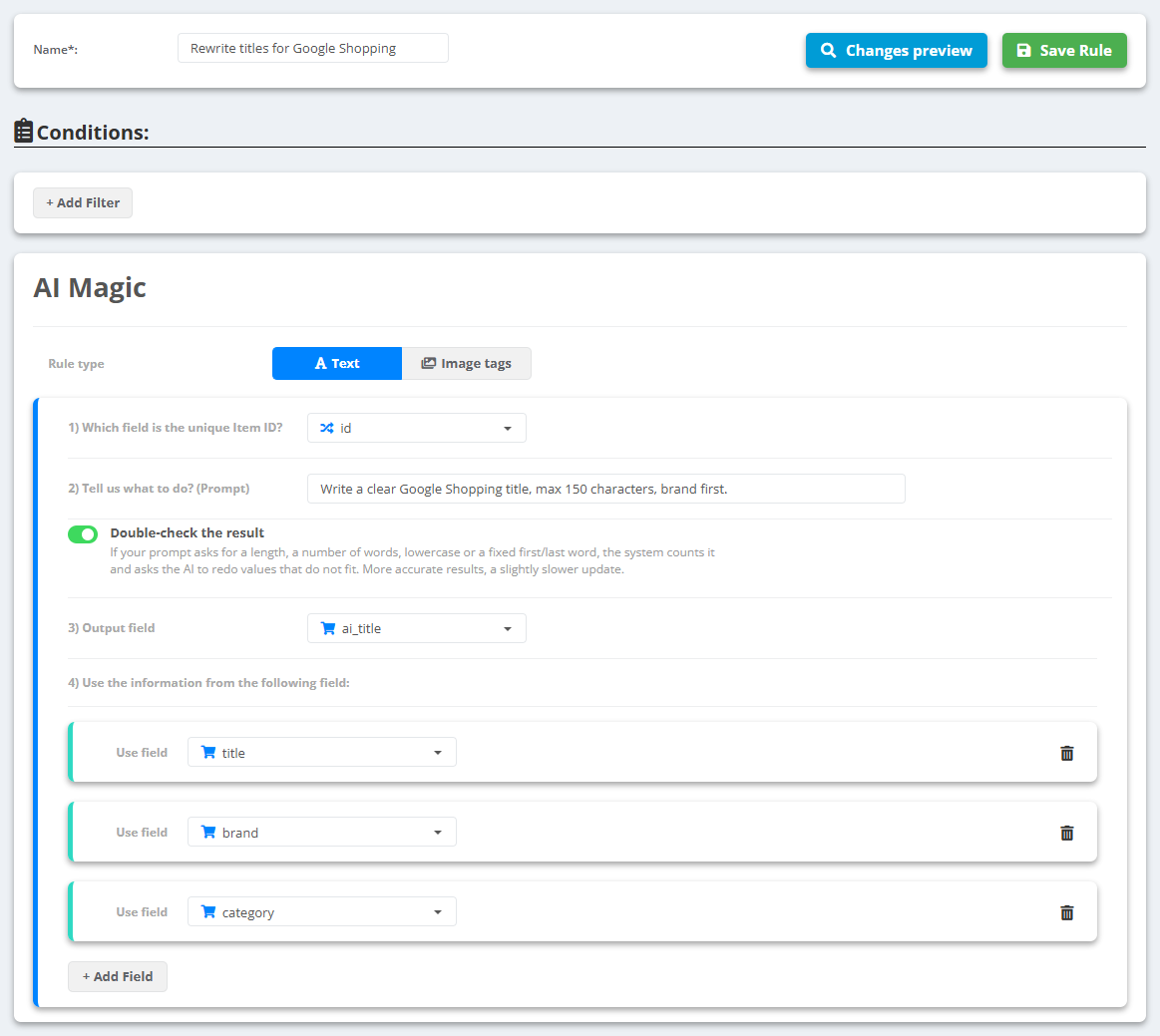
- Open the data source, click AI Optimizer and then Create new AI-Powered Rule.
- Give the rule a unique name and, if needed, filter the products it applies to.
- Leave Rule type on Text.
- 1) Which field is the unique Item ID? - pick the ID field; results are cached per product with it.
- 2) Tell us what to do? (Prompt) - write the instruction, e.g. “Write a benefit-led headline, 20-30 characters, title case, no brand name”.
- 3) Output field - an existing field or a new one.
- 4) Use the information from the following field - which fields the AI may read (title, description, attributes…).
- Keep Double-check the result on: if your prompt asks for a length, a word count, lowercase or a fixed first/last word, the system counts it and asks the AI again when the answer misses.
- Click Changes preview to see the result on a sample of products, then Save Rule.
- A new rule is saved switched off: turn it on with the Status switch in the AI-Powered Rules list. It runs on the next update of the data source.
Results are cached per rule and product - on the next update only new or changed products go to the AI. Save the rule only when the prompt is final: a changed prompt means the whole catalog is processed again.