
A discount percentage is useful in titles (“-22%”), in custom labels for sale campaigns and on branded images. Calculate it once in the feed and every channel can use it.
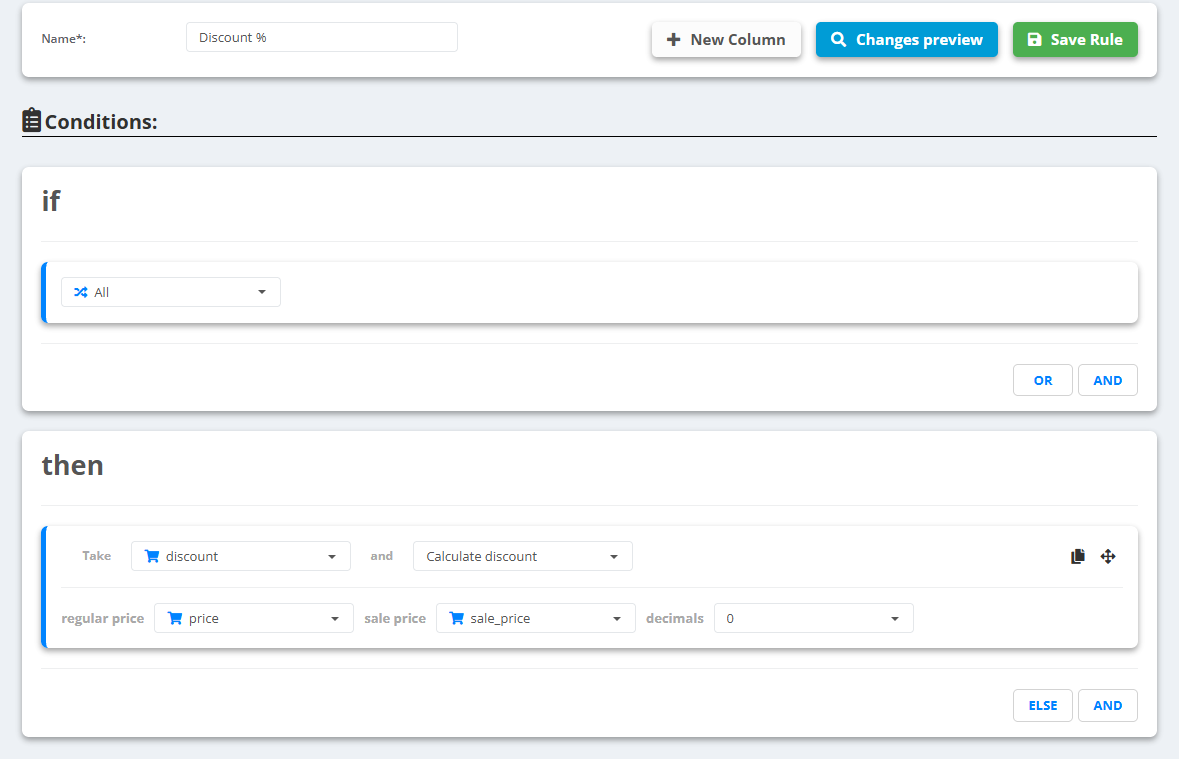
- Open the data source, go to Rules and create a new rule - for example “Discount %”.
- Under then pick the field to fill - usually a new one, for example
discount(New Column) - and choose Calculate discount. - Set regular price to price, sale price to sale_price and decimals to
0. - Check Changes preview, then Save Rule.
Example
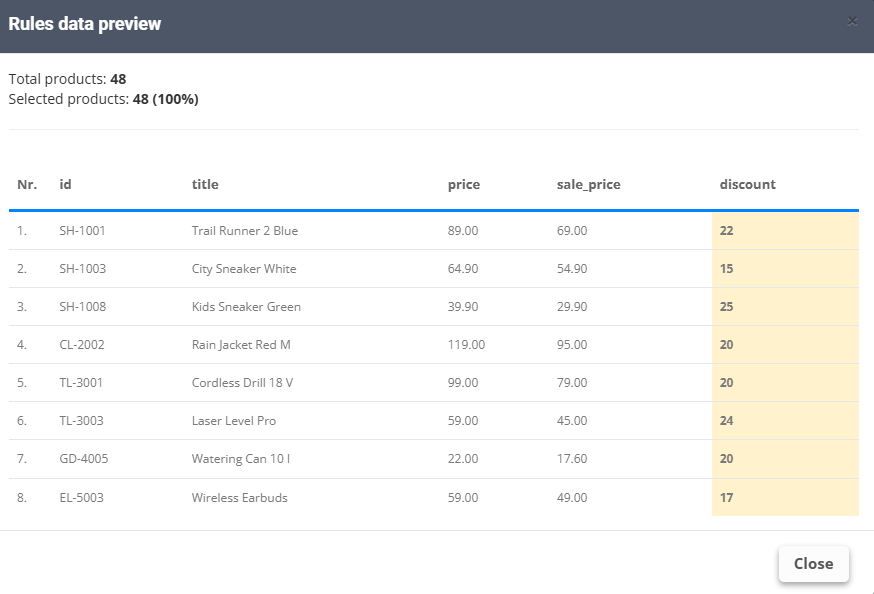
price89.00,sale_price69.00 →discount22price50.00,sale_priceempty or 50.00 →discountempty
The result is a number without the % sign. Add it where you need it with Combine or set value, for example-+ discount +%. Products with several variants get one value per line.