
- Go to Feed Exports and click Create New Feed Export.
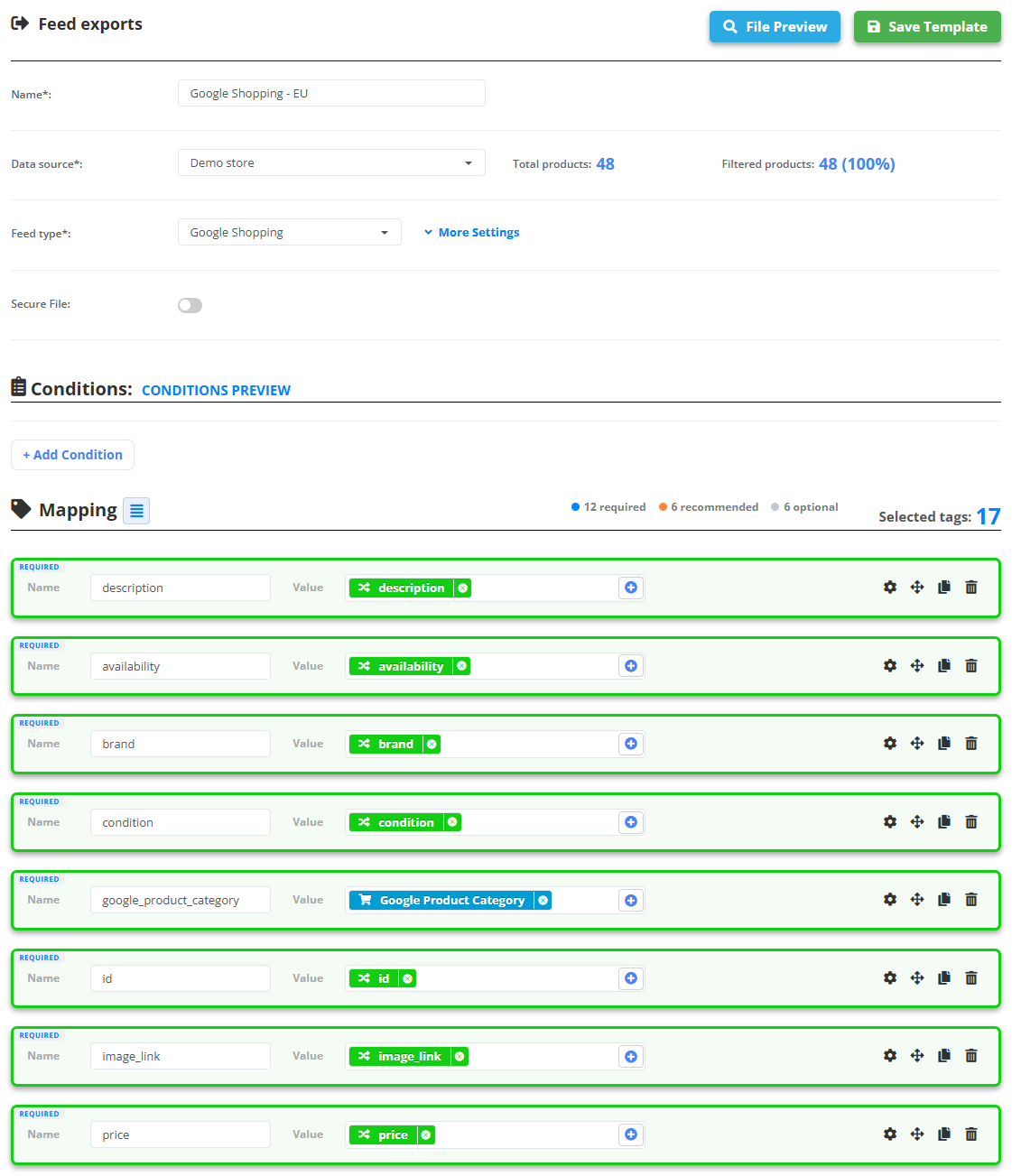
- Enter a Name and pick the Data source. The screen shows the total and the filtered product count.
- Choose the Feed type: Google Shopping, Google Custom Feed, Google Page Feed, Facebook, Criteo, Custom XML, Custom CSV or Data Source Tags (all fields as they are).
- Conditions - optional filters: only in-stock products, one brand, price above X. Operators: contains, does not contain, exact match, contains any, is empty, is not empty, greater, less and their variants. CONDITIONS PREVIEW shows how many products stay.
- Mapping - for a channel the fields are filled in by themselves: the system finds the matching feed columns by name and synonyms, and every row is marked REQUIRED, RECOMMENDED or OPTIONAL. Change any of them: pick another field - the import fields of your data source work directly, and we recommend them - type a fixed value, or Combine values…. Variant settings lets you add fields for product variants.
- Click File Preview to see the first 100 products exactly as the channel will get them.
- Click Save Template. The export is generated and gets its Feed URL in the list.
Every export has its own URL and its own filters - one data source can feed Google with the whole catalog and Meta with bestsellers only.
If it does not work
- The channel shows old products: the export always serves the newest file, so check the data source - Why is my data source not updating?.
- Meta does not see the images of a Custom XML export: switch the Prefix "G:" namespace setting off - Meta reads
<image><url>without the prefix.