
The Mapping tab of a data source has one job: making two catalogs speak the same language so they can be combined into one. For everything else you can skip it.
When you need it
You want a Combined Data Source, and the catalogs name the same thing differently - for example the product ID is item_id in one file and id in the other. Map both to the same internal field id, and the combined source knows they hold the same thing.
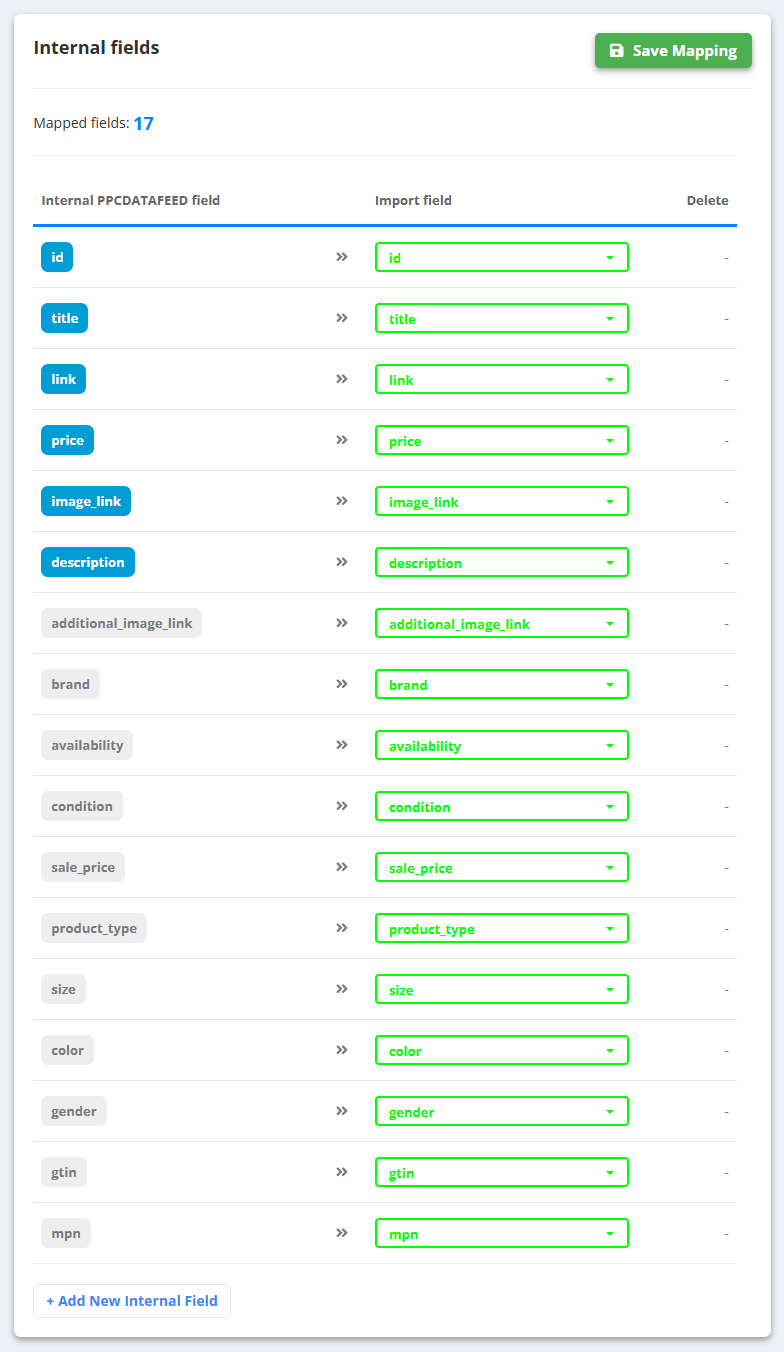
- Open the data source and click the Mapping tab.
- For each internal field you need, pick the matching Import field from your file. Rows left as “Not selected” stay empty.
- A field that does not exist yet? Click + Add New Internal Field and name it.
- Click Save Mapping. Do the same in the other data source, then create the combined source.
When you do not
- Rules - pick the fields of your file in the Import fields list.
- Feed exports - the fields of your file can be used directly, and we recommend them there too.
- A single data source of any type - nothing to map before you start.
The Mapping step of a feed export is a different thing: it sets which field fills each column of the channel's file - see Create a feed export.