
Link the shop
- Go to Integrations, section SHOPIFY SHOPS, and click INSTALL PPCDATAFEED SHOPIFY APP.
- Make sure you are logged in to your PPCDATAFEED account in the same browser.
- Install the Shopping Feeds by PPCDATAFEED application in your Shopify admin and open it once.
- The shop appears under SHOPIFY SHOPS. Use Validate if the status looks wrong and Reauthenticate if Shopify revoked the access.
Create the data source
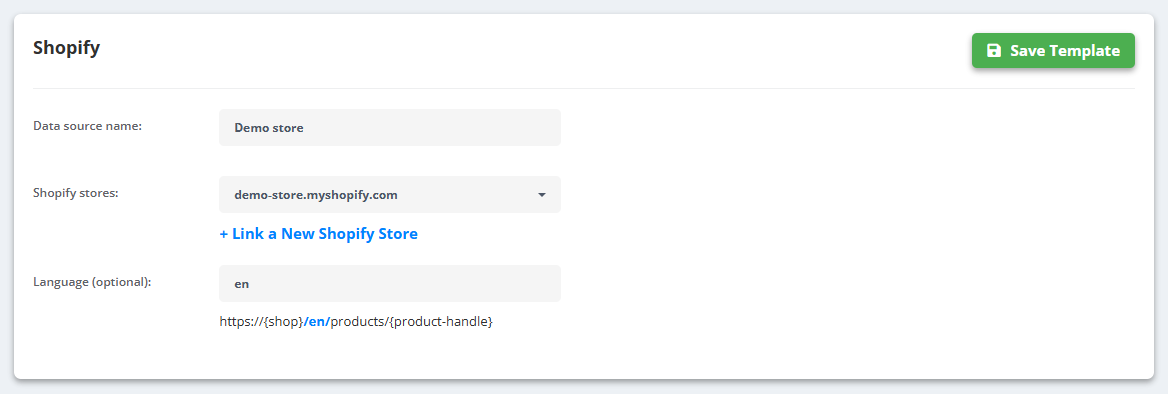
- Go to Data Sources → Create New Data Source → Shopify.
- Enter a Data source name, pick the shop in Shopify stores (+ Link a New Shopify Store if it is not there yet) and, if you sell in several languages, the Language.
- Click Save Template - products, variants, prices and images are pulled from Shopify.
Billing can also go through Shopify: in Billing info choose “I'm a Shopify Merchant” and pay via Shopify Billing.
If it does not work
- The app does not connect or the shop does not appear: you have to be logged in to PPCDATAFEED in the same browser while you install the app in Shopify. Log in first, then install it again.