
- Go to Data Sources → Create New Data Source → Combined Data Source.
- Enter a Data source name and tick the sources in Select data sources - search them by name; each row shows the Type of the source.
- Set the Priority of each source. When two sources have the same product, the higher priority wins.
- In Select mapped fields move the fields the combined catalog should have from Available fields: to Selected fields: - search by name, Add Visible takes all the ones shown, Remove Visible takes them out again.
- Click Save Template.
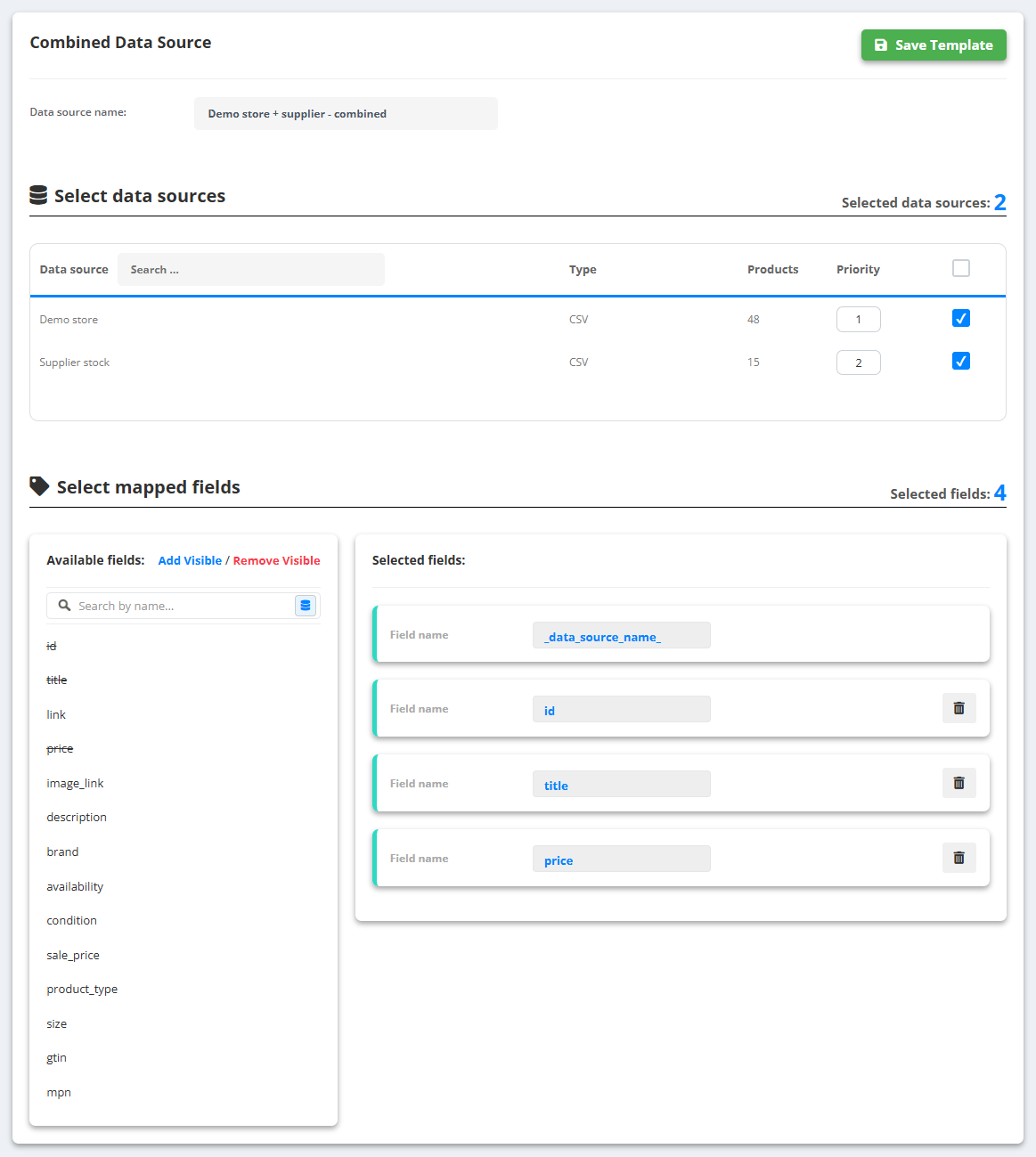
The combined source gets an extra field, _data_source_name_, with the name of the source each product came from - handy in rules and export filters.
Map the sources the same way before you combine them. If one calls the product IDitem_idand the otherid, map both to the same internal fieldidin their Mapping tabs - that is how the combined source knows they hold the same thing. See Field mapping.