
Add a card and pay once
- Open Billing info (your name in the top right).
- Fill in the Billing details: First / Last Name, Country, Billing Address, and optionally Company Name and VAT Number (EU companies) - they go on the invoices.
- Click Add credit card and save the card.
- Under Payment options choose Manual one time payment, enter the Amount (10 to 1000 units) and click Pay now. VAT is added according to your country.
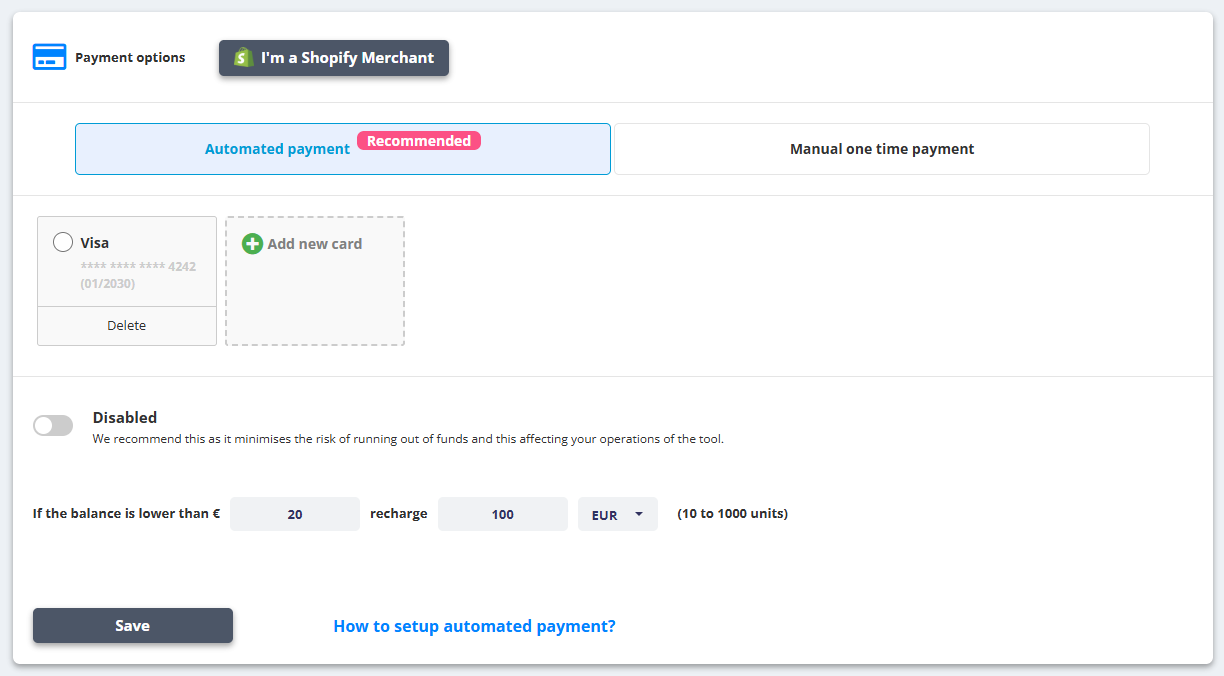
Automated payment (recommended)
- Switch to the Automated payment tab and enable the switch.
- Set the rule: If the balance is lower than X recharge Y (10 to 1000 units), pick the card and click Save.
Shopify merchants
Choose I'm a Shopify Merchant, pick the store and use Pay now via Shopify Billing - the charge goes through your Shopify bill.
Invoices and coupons
- Invoices are generated for every payment; add addresses under Automatically send invoices to following email to receive them by email.
- Have a coupon? Enter it in Coupon code and click Apply.