
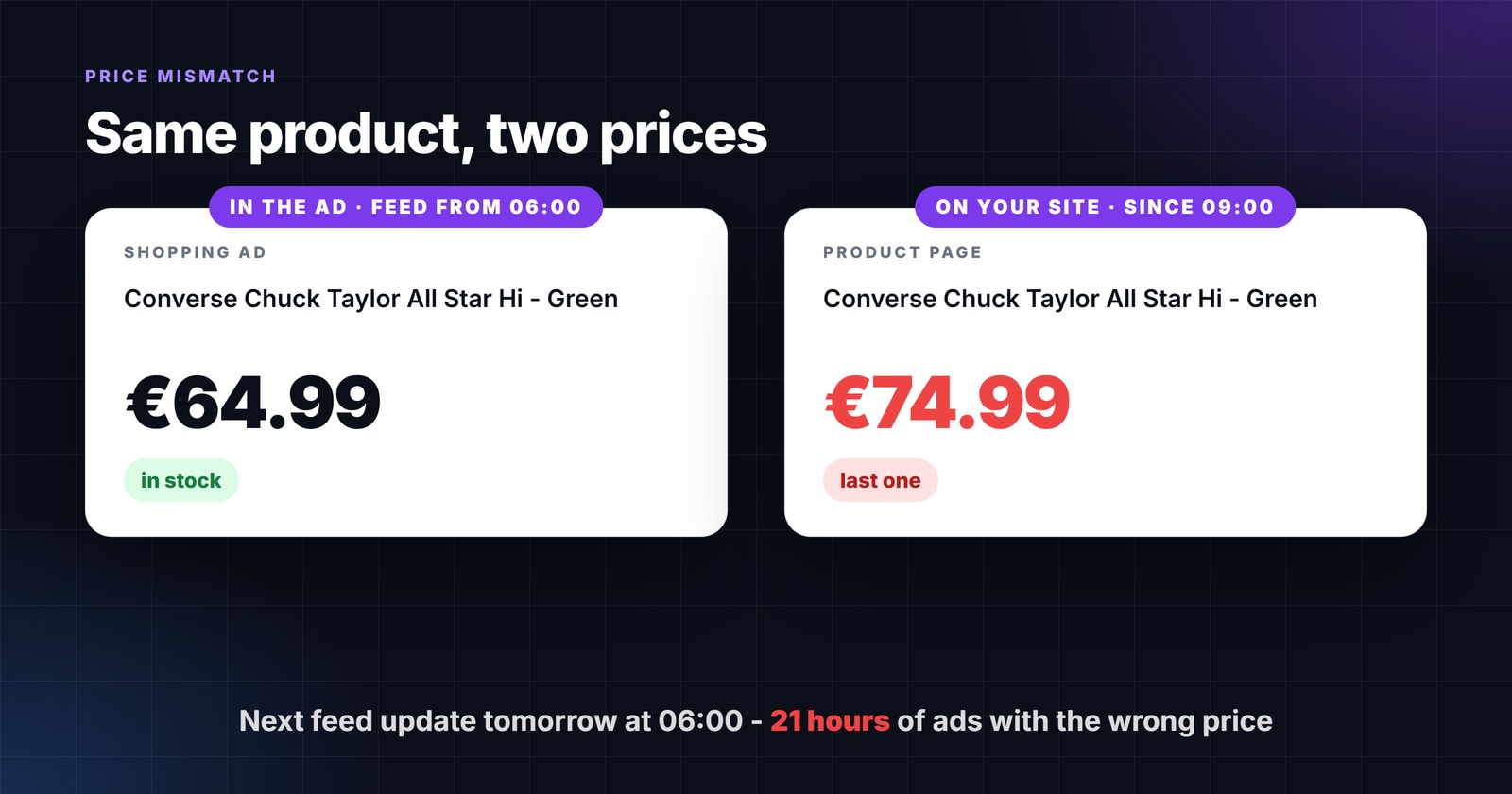
Every store has a version of this day. Marketing raises a price at 09:00, or a bestseller sells out at lunch, or a weekend promotion ends on Monday morning. The product page changes immediately. The feed does not - it was generated at 06:00 and will be generated again tomorrow at 06:00. In between, the ad is a promise the page will not keep.
Shoppers notice, and so does Google. This article explains what happens on Google’s side when the feed and the page disagree, what it costs beyond the disapproval itself, and how to make the window small enough not to matter.
What Google does when the feed and the page disagree
Google crawls landing pages and compares what it finds with the feed. Two mechanisms are involved, and they are often confused:
- Automatic item updates. If your page carries structured data, Google may simply correct the price, availability or condition in the ad to match the page. Google is explicit that this is a safety net, not a process: automations "aren’t a replacement for regular updates of your product data. They’re designed to fix temporary problems … for a small percentage of your products" - and where the extractors cannot read the page, "your products will be subject to product-level disapprovals" (Automatic item updates).
- Mismatch disapprovals. When a mismatch between the landing page price and the feed price is found, "the product with the mismatch may be disapproved". Disapproved products stop showing in ads and free listings; Googlebot re-crawls them "over the next few hours or days", and a requested review can take up to 12 hours (How to fix: Mismatched product price). Availability works the same way - a product shown as in stock that is sold out on the page is a mismatch, and Google points out you are "paying for wasted clicks" until it is fixed (How to fix: Mismatched product availability).
Google’s recommended fix in both articles is not a trick - it is to "set up a schedule for product data uploads" or send updates through the API, so the data is right in the first place.
What a stale feed actually costs
- Paid clicks that cannot convert. A shopper who clicks a €64.99 ad and lands on a €74.99 page leaves. You paid for the click; the page did the opposite of selling.
- Disapprovals that outlive the mismatch. Once an item is disapproved, it stays off until the re-crawl confirms the fix - hours or days after your feed was already correct. A daily feed can keep a product in this loop for most of a week.
- Lost ranking history. Products that go dark lose impression share and, in Performance Max, the learning attached to them; when they come back they start from further behind.
- Account-level risk. Persistent mismatches are treated as misrepresentation. That is rare and slow to build up, but it is the one problem in this list that a single feed fix does not undo.
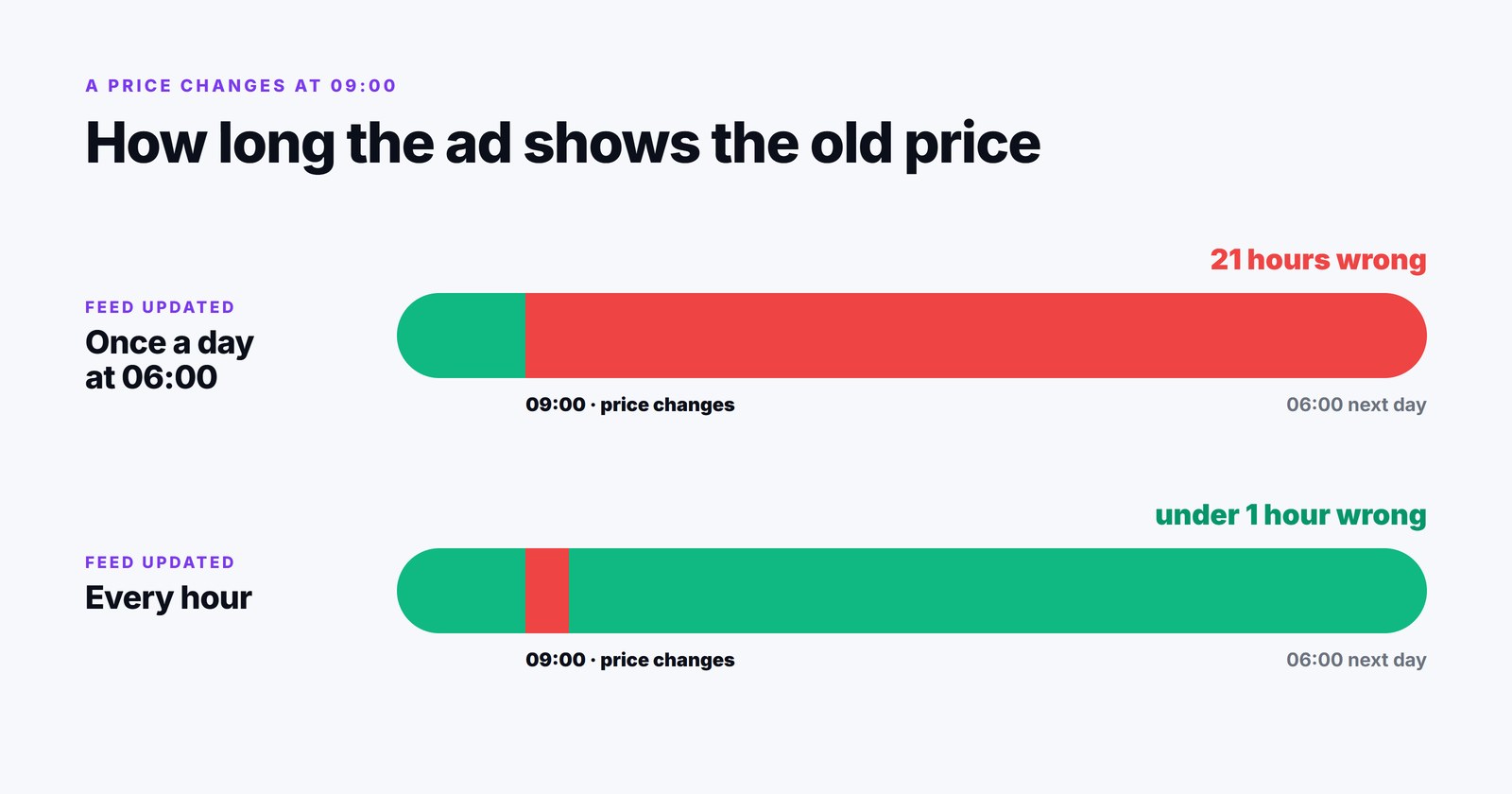
The arithmetic is simple: with a daily update at 06:00 a change at 09:00 stays wrong for 21 hours; with an hourly update, for at most 60 minutes. Nothing else in feed management reduces mismatches by that factor.
The three sources of mismatch - and the fix for each
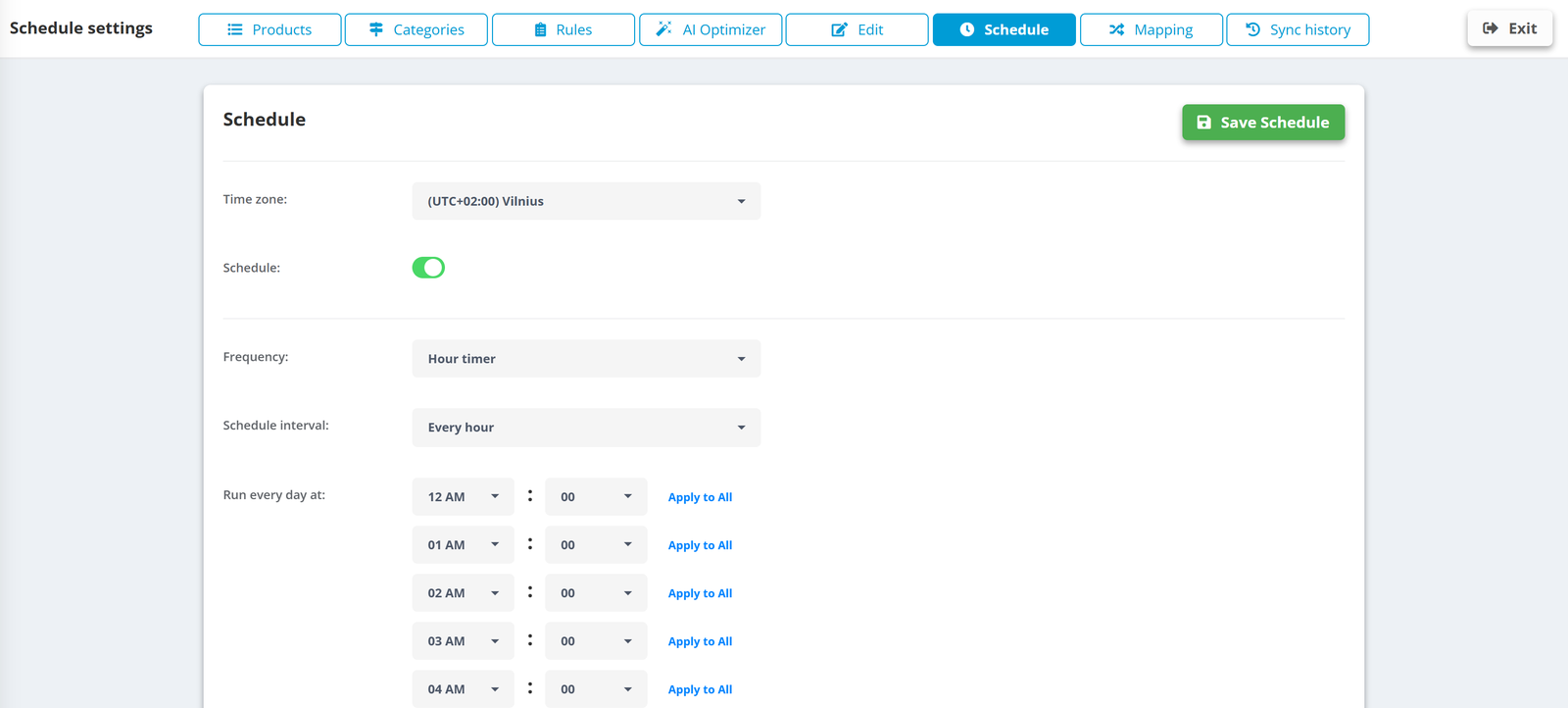
- Timing. The most common one: the feed is simply older than the page. Fix: update the source hourly and regenerate every export from it on the same run. The image below is the schedule of a data source in PPCDATAFEED set to run every hour - the source is re-read, rules run, and every export built on it is rewritten atomically, so the feed link never serves a half-written file.
- Mapping. The feed sends
pricefrom a column that is not the price the page shows - a net price, a price before a customer-group discount, or a sale price with an expiredsale_price_effective_date. Fix: mappriceto the displayed price, sendsale_pricewith its effective dates, and use a rule to blank the sale price outside the window. - Availability vocabulary. The shop says “2-3 days”, “last one”, “on request” and the feed maps all of it to
in_stock. Fix: a rule that normalizes stock values toin_stock,out_of_stock,preorderorbackorder, and keeps sold-out products in the feed asout_of_stockrather than deleting them - Google asks for exactly that, and warns not to useout_of_stockas a way to pause products (use thepauseattribute, up to 14 days).
When hourly is not fast enough: push instead of fetch
An hourly feed is only half the chain. Merchant Center fetches a scheduled file on its own timetable, so the freshest export still waits for the next fetch. For accounts where prices or stock move all day - marketplaces, electronics, flash sales - PPCDATAFEED’s API Connections send the products to Merchant Center directly on their own schedule instead of leaving a file to be collected. Each run reports how many products were updated or deleted. For most stores the fetched feed is fine; for the ones above, the API connection is the difference between a mismatch window measured in hours and one measured in minutes.
The same freshness helps everywhere the feed goes: Meta reads its data feed on the schedule you set, and ChatGPT’s advertising feed expires items that are not refreshed within two weeks. One source updated hourly keeps all of them honest at once.
A short checklist
- Source update frequency matches how often prices and stock change - hourly for most stores, every 2-4 hours for slow catalogs.
priceis the price the page displays, in the page’s currency;sale_pricecarries effective dates.- Availability values are normalized by rule; sold-out products stay in the feed as
out_of_stock. - Structured data on product pages is correct - it is what automatic item updates read.
- Merchant Center diagnostics checked weekly for “mismatched value” items; each one is a symptom with one of the three causes above.
- Fast-moving accounts push through the API rather than waiting for a fetch.
A feed is a promise about what a shopper will find on the page. The shorter the time between the page changing and the promise being updated, the fewer clicks you pay for that could never have sold.