
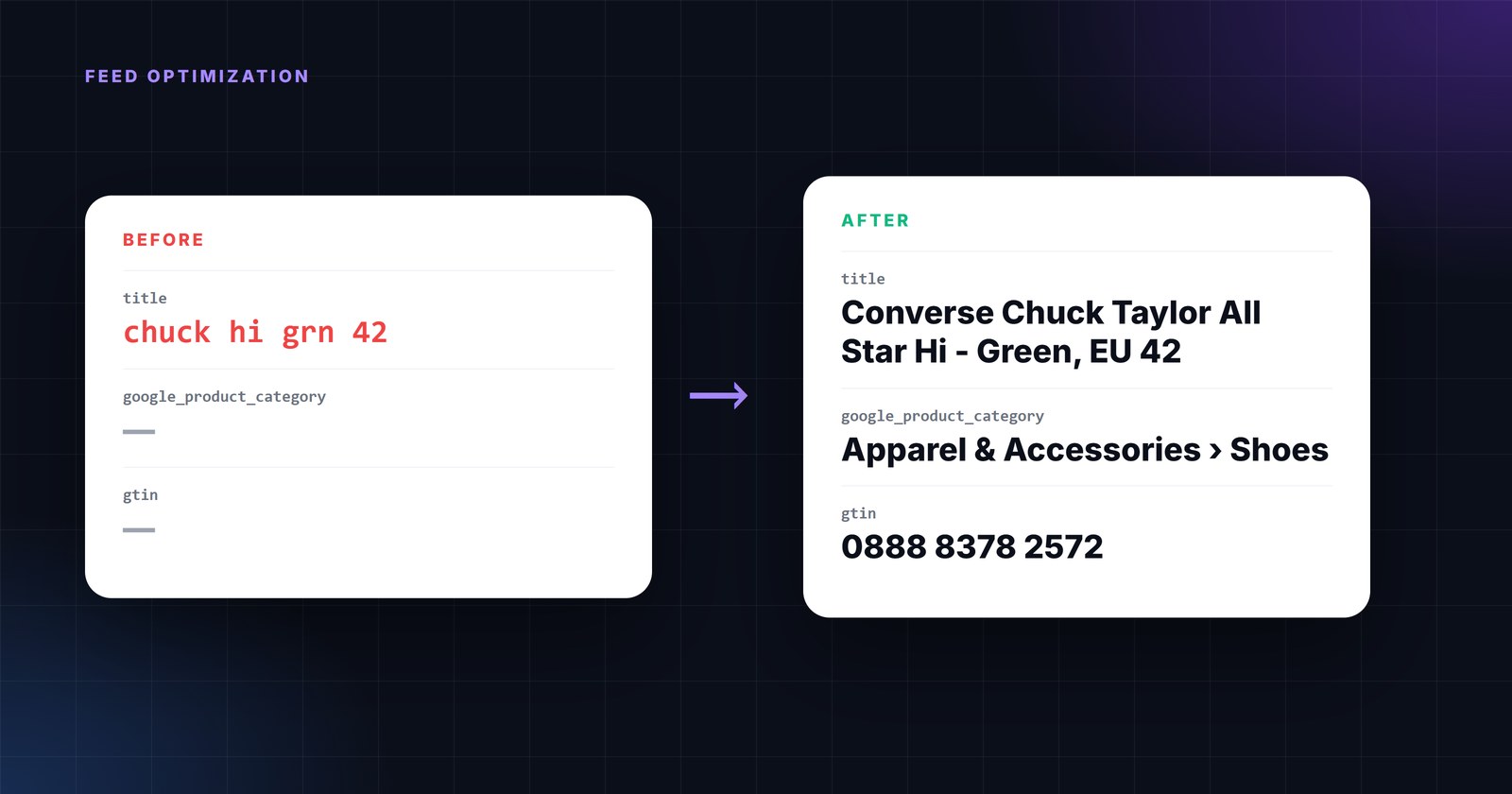
In Search you choose the keywords. In Shopping, Google chooses them - from your product data. The title, the category, the attributes and the identifiers decide which searches a product can appear for; the price and availability decide whether it should; the images decide whether it gets clicked. "Feed optimization" is the unglamorous work of making that data complete, correct and specific for every product. Done well it is the highest-leverage work in a Shopping account, because it improves every campaign at once.
Below is the order we use on a new catalog: what to fix first, why, and the rule that does it.
1. Titles: the 70 characters that matter
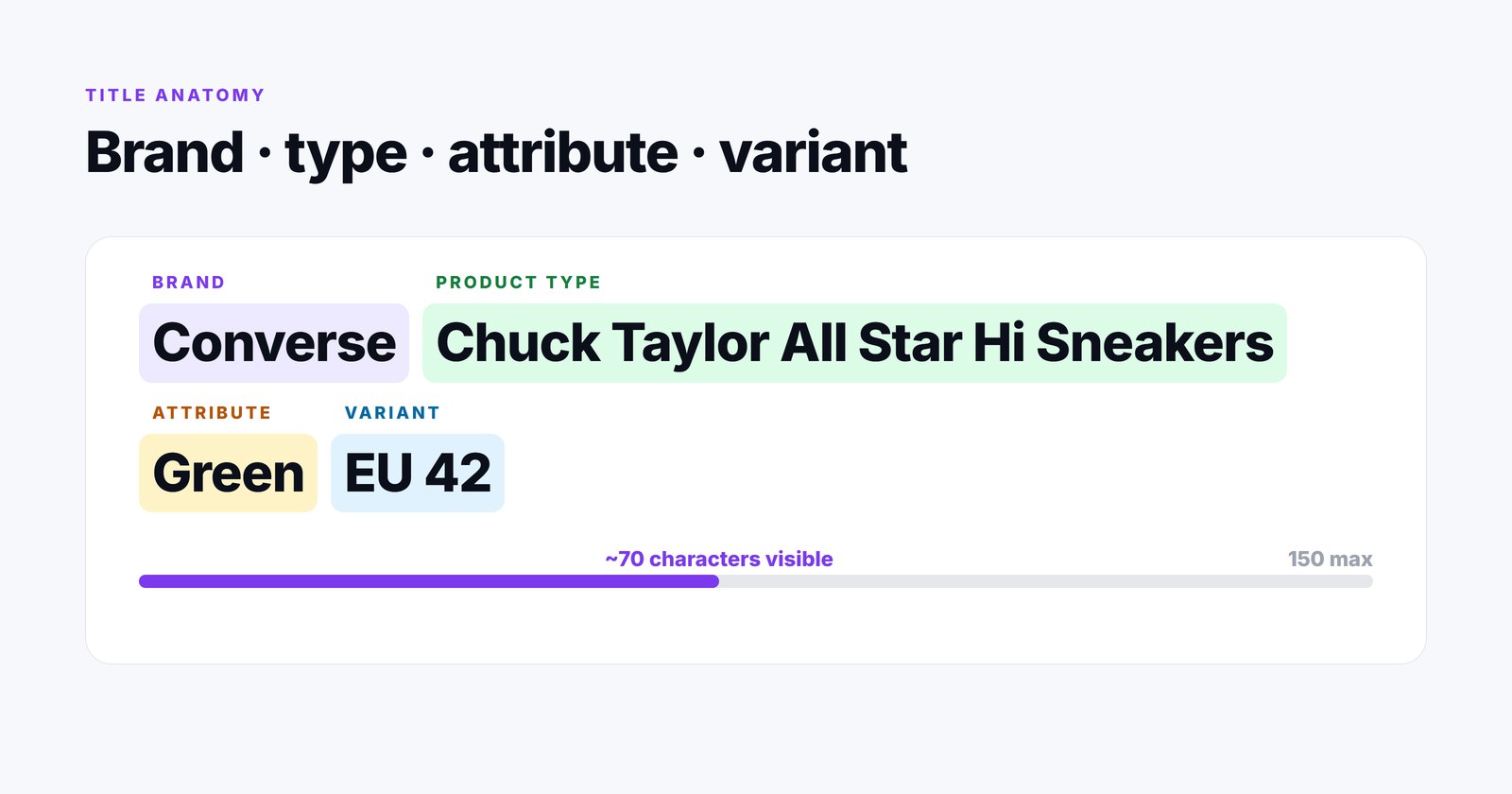
Google’s own guidance is unusually direct: titles may be up to 150 characters, but "Users will usually notice only the first 70 or fewer characters of your title, depending on screen size", so "Put the most important details first" (Google title specification). It also tells you what to leave out: no promotional text, no prices, no ALL CAPS, no extra whitespace, no company name.
The pattern that works for most categories is brand + product type + the attribute people search by + the variant: Converse Chuck Taylor All Star Hi Canvas Sneakers - Green, EU 42. Apparel leads with brand and gender; electronics with brand, model and the spec that matters (capacity, size); consumables with brand, product and pack size.
The rules
- Combine fields into the title.
title = {brand} + " " + {model} + " " + {product_type} + " - " + {color} + ", " + {size}. Build it from structured fields rather than editing text - it then stays correct when the fields change. - Guard against duplicates. IF title contains brand THEN leave it; ELSE prepend brand. Otherwise you get "Nike Nike Air Force".
- Clean the raw title first. Modify text → smart title case, strip whitespace, strip listing codes (the
SKU-4471-Bmany ERPs put in front), HTML to text. - Length check. IF length of title exceeds 150 THEN a shorter variant without the last attribute.
- Never put price or promo in the title - Google says so, and a rule that appends "SALE" to titles is one of the most common self-inflicted disapprovals we see.
2. Google product category and product type
google_product_category tells Google what the product is in its own taxonomy - it affects which queries the product is eligible for and which attributes are required (apparel needs colour, size, gender and age group). product_type is your own tree and is what you will use to structure campaigns. Both should be on every product.
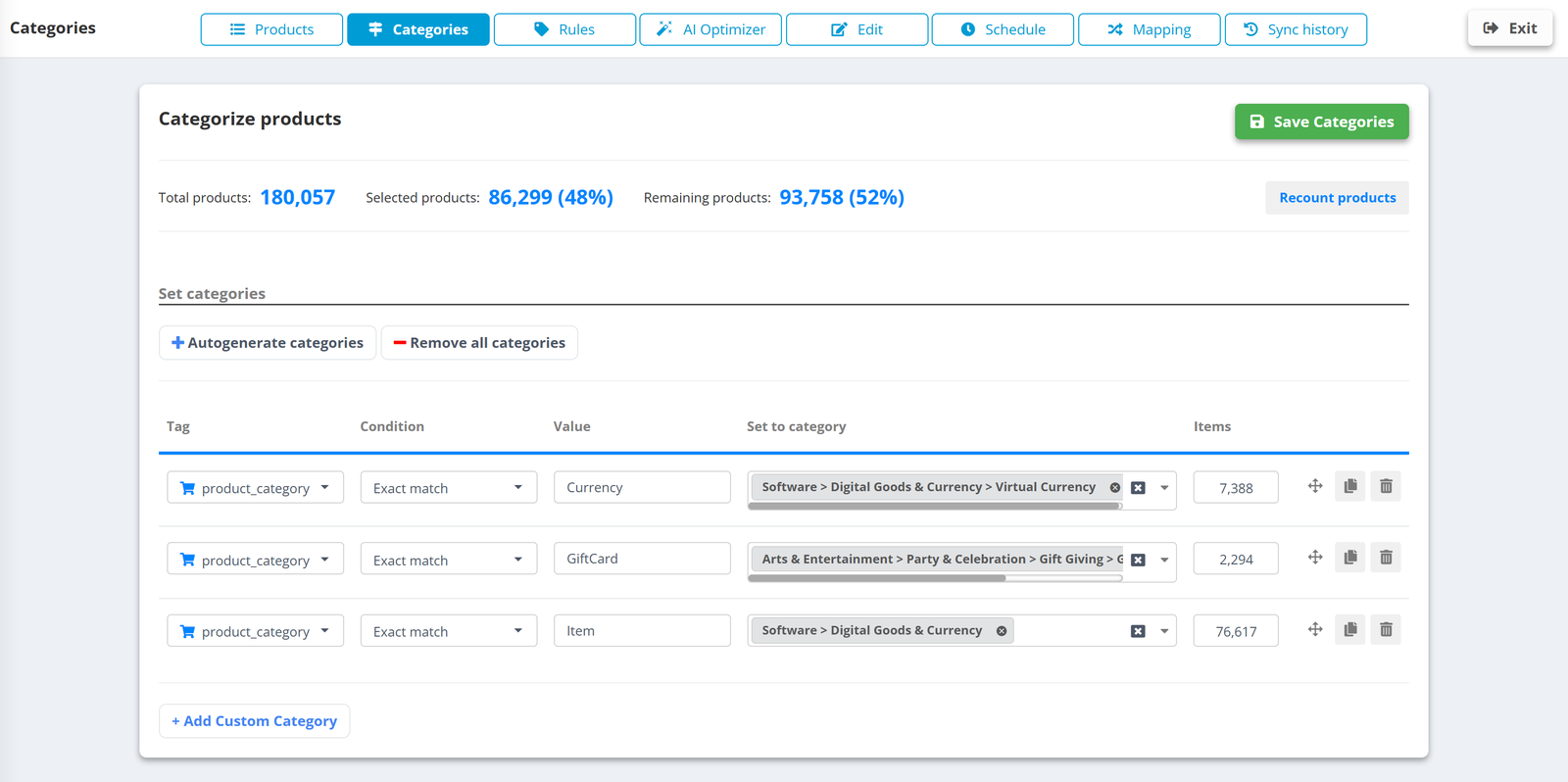
- Generate categories from your shop tree and map each branch to a Google category once. A 400-category shop is an afternoon’s work, and it never has to be repeated.
- Catch the strays with conditions: IF title contains "sneaker" AND google_product_category is empty THEN set Apparel & Accessories › Shoes.
- Do not invent categories. Only values from Google’s taxonomy count. If you use AI to fill the field, make sure it picks from the official list - ours does exactly that and never generates a name.
3. Identifiers: GTIN, MPN, brand
A product with a valid GTIN is matched to Google’s product knowledge - reviews, comparisons, the right query set. A product with a wrong GTIN is disapproved; a product with none is limited. The rules here are about honesty and formatting:
- Take the GTIN from the field that actually holds it - EANs are often hidden in
barcode,ean,upcor a supplier attribute. Map it; do not leave it empty because the column was named differently. - Strip formatting. Remove spaces, dashes and leading apostrophes exported by spreadsheets; keep leading zeros.
- When there is genuinely no GTIN (custom-made, private label without barcodes), set
identifier_exists = norather than inventing one - a rule on brand or product type does it for the whole line. - Brand must be the brand, not the store. IF brand is empty THEN take it from the supplier field; IF brand equals your store name THEN set to empty and let the identifier rule handle it.
4. Price, sale price and availability - correct every hour
Nothing is disapproved faster than a price or availability that does not match the landing page. The fix is partly rules, mostly cadence.
- Update hourly if prices or stock change during the day. A feed that refreshes once a night advertises yesterday’s prices all day.
- Currency and format. One rule converts prices for a foreign-market feed with the official daily rate; another rounds to two decimals and appends the currency code the channel expects.
- Sale price only when it is a sale. IF sale_price is greater or equal to price THEN set sale_price to empty. Google ignores nonsensical sale prices and flags them.
- Availability values by channel. Google wants
in_stock/out_of_stock/preorder/backorder; other channels differ. Map once per export, not in the source. - Compute the discount for creatives and labels with the calculate-discount action, from price and sale price.
5. Exclude what should not be advertised
The cheapest optimisation in any account is to stop paying for products that cannot sell. Every exclusion is a rule with an exclude row action, and the preview shows exactly how many products it removes:
- Out of stock - unless the channel handles it, drop the row.
- No image, no price, no GTIN where one is required - they will be disapproved anyway; better they never go out.
- Margin too low. IF (price - cost) / price is less than 0.15 THEN exclude - the field comes from your ERP or a Google Sheet joined to the catalog.
- Clicks without sales. Join Google Ads or GA4 performance data to the catalog and exclude products with, say, 300 clicks and zero conversions over 90 days - or move them to a low-bid campaign via a label instead.
- Legal and policy exclusions - categories a channel does not allow, products with claims you cannot make in ads.
6. Custom labels: structure for the campaign
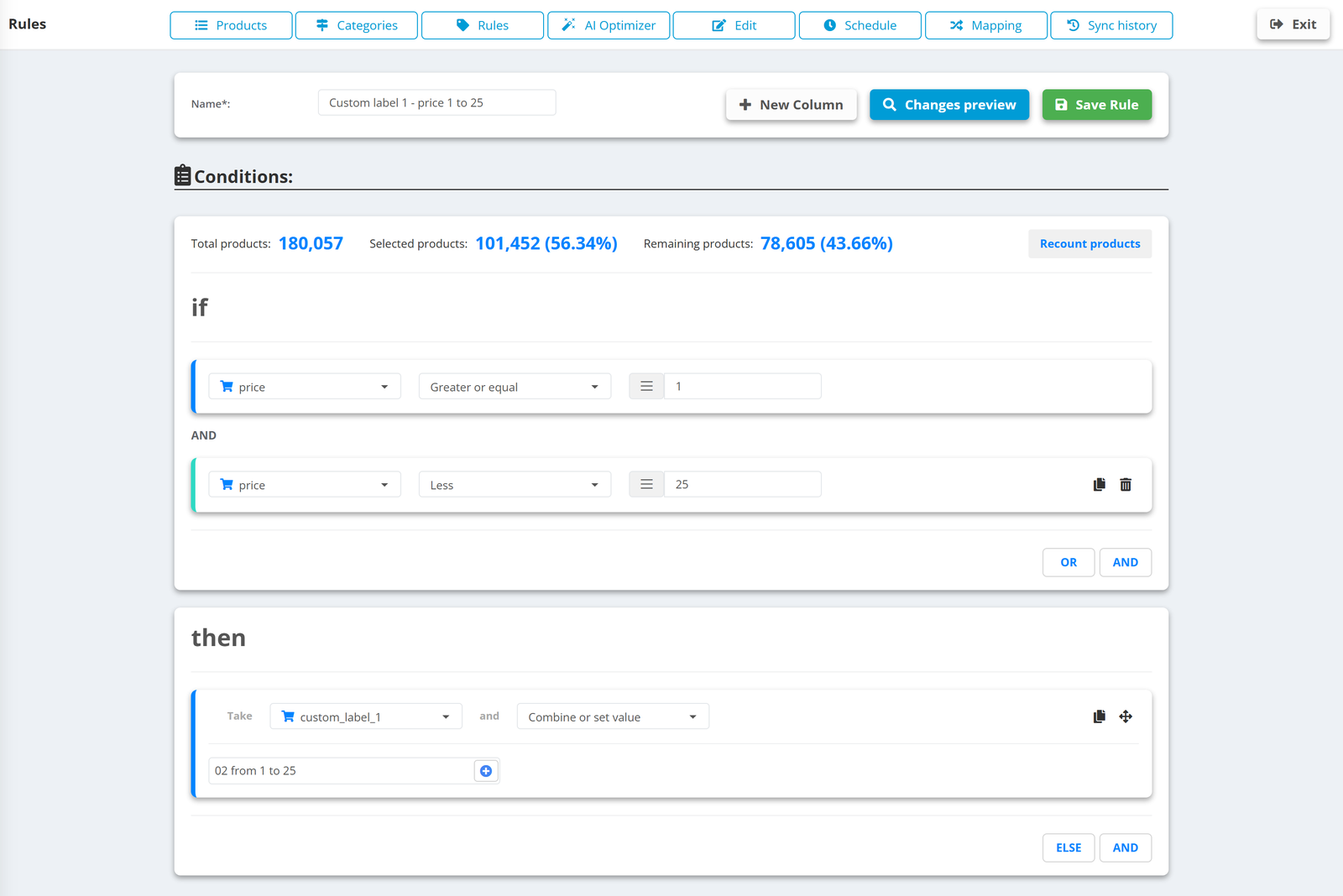
The five custom_label fields are how the feed talks to campaign structure. Fill them with the dimensions you want to bid on differently: margin band, price band, bestseller, season, new arrival. Rules can set them from data (IF margin greater than 0.4 THEN custom_label_0 = high-margin); performance-based labels (ROAS, clicks, conversions) are what Shopping Labels does from live Google Ads and GA4 data.
7. Where AI earns its place
AI is good at exactly the work rules are bad at: writing a readable title from a messy one, expanding a two-word description into a factual paragraph, guessing a colour or material from the text, picking a taxonomy category. It is bad at facts it cannot see - it will not know the GTIN or the stock level. Use it for content, keep rules for data, and always keep a before/after preview and a quality score in front of you so you can see whether a run helped.
How to know it worked
- Disapprovals and warnings in Merchant Center diagnostics go down - the first and fastest signal.
- Impressions per product go up for the products whose titles and categories changed, before anything else moves.
- Click share and CTR shift when images and titles improve; conversion rate when availability and prices are right.
- Run a free Shopping Ads audit before and after - it lists products with zero impressions, disapprovals, missing labels and title length problems.
None of these rules is clever. Their power is that they run on every product, every hour, forever - which is the one thing a spreadsheet and a Tuesday afternoon cannot do.